
Get all your news in one place.
100’s of premium titles.
One app.
Start reading
GamesRadar
GamesRadar
Technology
Iain Wilson

Need for Speed Unbound crossplay and Lakeshore Online mode explained

Need For Speed Unbound crossplay.

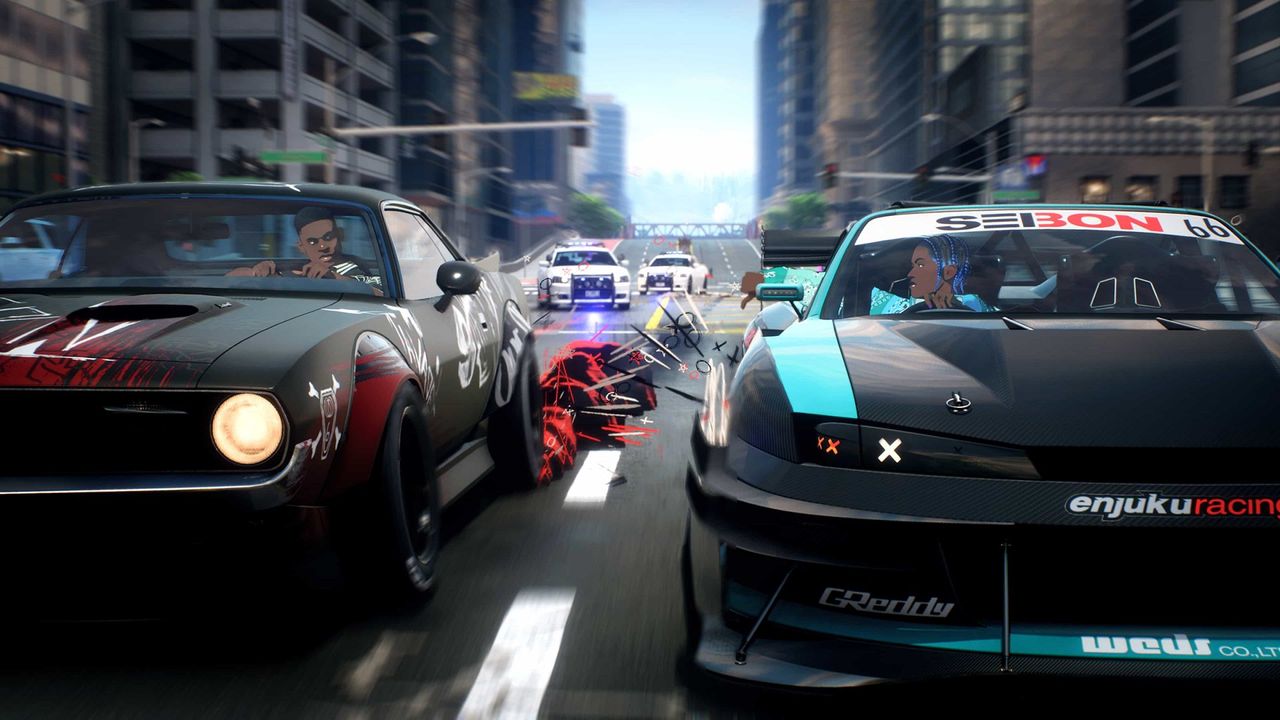
While Need for Speed Unbound crossplay is available, to connect players between Xbox Series X, PS5, and PC platforms, it is limited to an extent as it can only be used in the Lakeshore Online mode and not during the main Story. However, this still means that you can team up with your racing buddies and go head to head in an anime style regardless of what system you're all playing on, so long as you're connected to each other as EA Friends so you can make contact and meet on the mean streets.

NFS Unbound cars

(Image credit: EA)

Check out all 140+ rides in the Need for Speed Unbound cars list with our complete guide.

There's plenty of fast and furious racing to be had, full of drifting and nitrous boosts, so Need for Speed Unbound crossplay gives you the biggest pool of players to go head to head with and prove your skills behind the wheel. However, some players prefer to only go up against those on the same platform to ensure they're racing on a level playing field, so as well as explaining how it all works, we've also got details for how to disable Need for Speed Unbound crossplay if you'd prefer not to use it.

How to use Need for Speed Unbound crossplay

(Image credit: EA)

Need for Speed Unbound crossplay is available and enabled as standard, which means you'll automatically be matched up with players from Xbox Series X, PS5, and PC platforms. It should be noted that this only applies to the Lakeshore Online part of the game, as the main Story element is a single-player experience, and if crossplay is enabled then you'll see the above notification screen before you join a Lakeshore Online session. Once you're in, you can send invites to your contacts on any supported platform, as long as you're EA Friends.

If you want to disable Need for Speed Unbound crossplay so you're just matched up with players from the same platform, then this can be done by accessing the Settings and Accessibility menu then opening the Game section and moving the slider next to Enable Cross-Play to off. You can only change this setting while in the main menu, so you'll need to back out completely if you're in a current session before adjusting your matchmaking pool.

Want to know what we thought of the latest NFS? Then take a read of our Need for Speed Unbound review, where we described it as "A breathtakingly fast open-world street racer."

© GamesRadar+. Not to be reproduced without permission.

Sign up to read this article
Read news from 100’s of titles, curated specifically for you.
Already a member? Sign in here
Related Stories
Top stories on inkl right now
One subscription that gives you access to news from hundreds of sites
Already a member? Sign in here
Our Picks
Fourteen days free
Download the app
One app. One membership.
100+ trusted global sources.