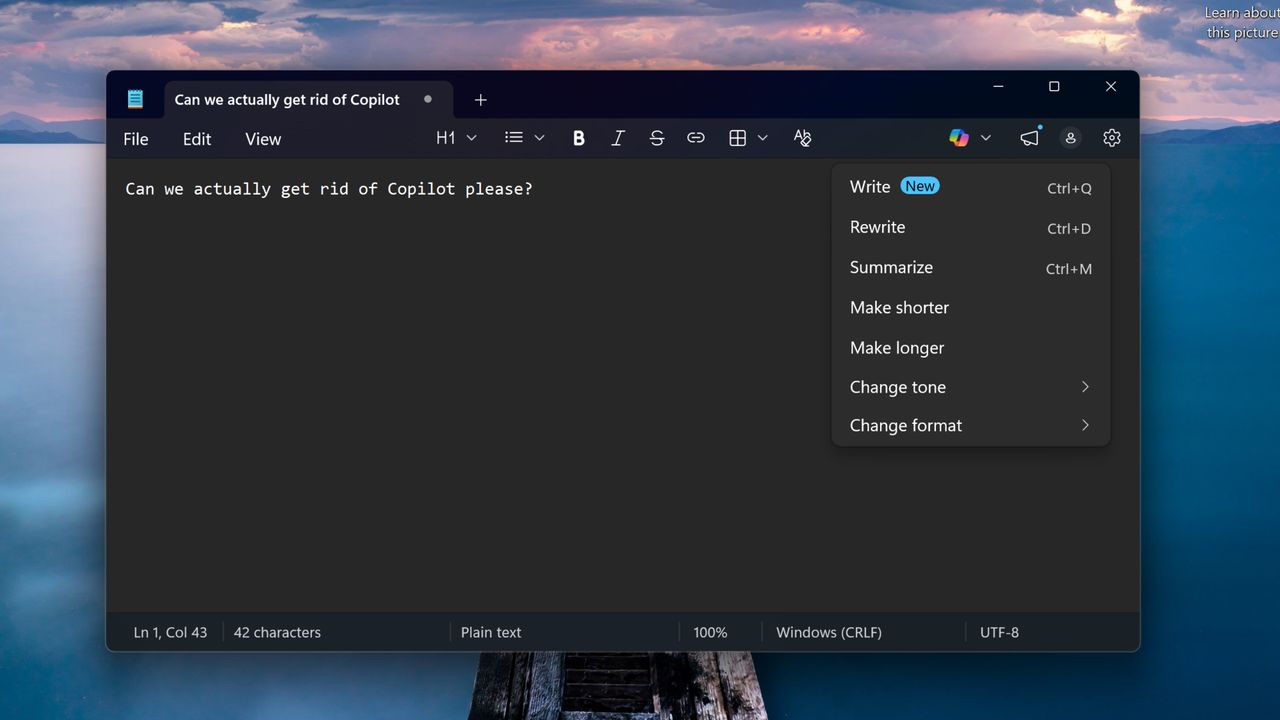
Let’s be real. Nobody I know has anything good to say about Microsoft Copilot. Shoved down our throats in any way possible in Windows 11, it’s turned the OS into a bloated behemoth that consumes the very thing we’re all seeing get way more expensive — RAM. And for what? Some rewriting tools, AI image generation in Paint and a searchable visual timeline of everything you do that’s quite a security risk, which is all ignored by users.
So it’s fair to say that I got a little hyped when I saw the “commitment to Windows quality” blog, which confirms a major update with reduced Copilot features and better efficiency. Microsoft listened…at least that’s what I thought. Because what we’re actually getting from the first signs of these changes is a simple rebranding. Copilot is still there — it’s just called something different.
An AI wolf in sheep’s clothing
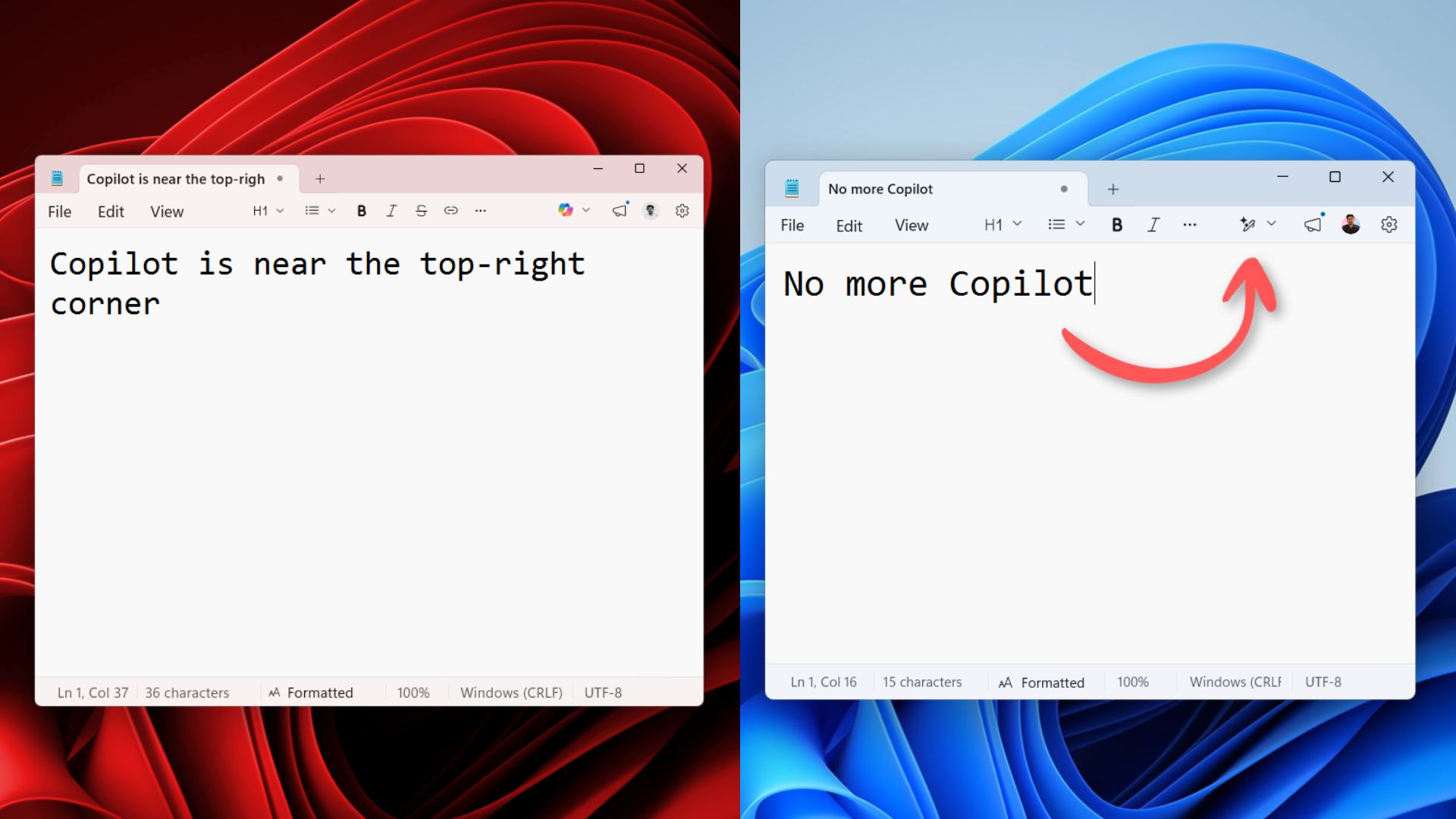
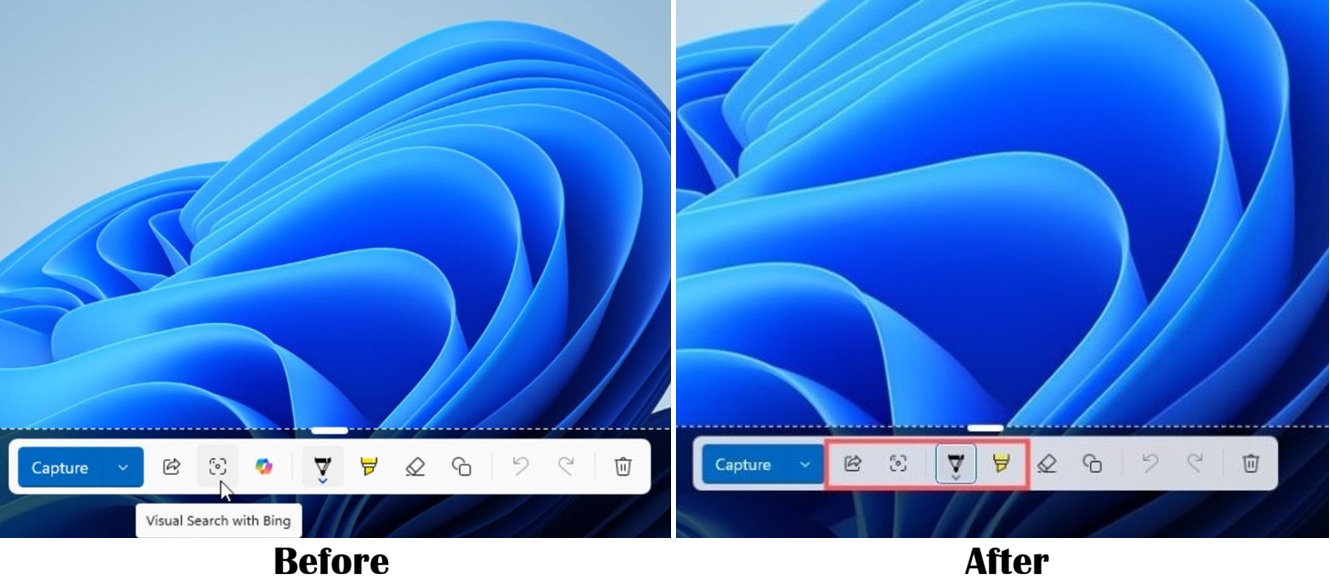
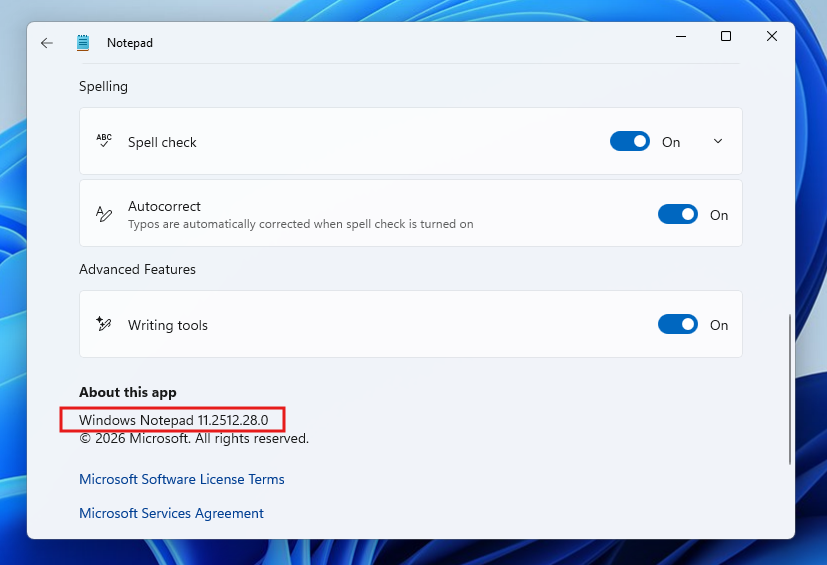
As discovered by Windows Latest, the Notepad app and Snipping Tool are the first signs of Microsoft starting to rollback Copilot in the latest Windows 11 Insider Preview. Copilot logos have disappeared from Notepad and the Snipping Tool.
But as is clearly apparent, this is mostly just branding only. Instead of a colorful Copilot button, Notepad gets a “Writing tools” icon, whereas the Snipping Tool is actually AI-free from the looks of it. Being someone who got tired of seeing Copilot everywhere, it’s definitely a welcome change.
Though, it does make me nervous that the idea of Microsoft being “intentional about how and where Copilot integrates across Windows” may be more like “let’s just hide it in plain sight.”
Outlook
That’s not to say this Windows 11 commitment is for nothing. We could very well just be seeing a small slither of the wider changes that could reduce AI integration to only where (in Microsoft’s words) it’s “most meaningful, with craft and focus.”
But early updates do give us an indication of where Microsoft is thinking of going, and simply changing the presentation rather than removing unnecessary feature sets does not instill confidence here.
Taskbar customization, a faster File explorer and reduced Windows Updates disruption are all good things, but if Microsoft doesn’t genuinely hit the biggest performance consumer here, then we’re right back at square one — only looking prettier. I hope the company goes harder on the run up to Build 2026.
More from Tom's Guide
- PC sales are up, but don’t be fooled — IDC report warns RAMageddon is just getting started
- I was high on the Asus Zenbook A14 and A16 with Snapdragon X2 Elite — then something very weird happened to the price
- ‘The squeeze is real’: I spoke to RAM crisis oracle, Carmen Li, about when this nightmare ends — here’s what she told me