Get all your news in one place.
100’s of premium titles.
One app.
Start reading
Tom’s Guide
Tom’s Guide
Technology
Amber Bouman

Microsoft just gave you another reason to update your PC — November's Patch Tuesday fixes 63 flaws

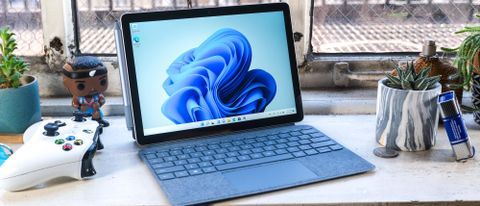
A Microsoft Surface Go on a desk next to an xbox controller.

Though not as big of an event as last month, Microsoft’s November Patch Tuesday does contain fixes for 63 unique flaws including critical fixes for one actively exploited zero-day vulnerability and a critical severity bug.

Of the 63 total flaws, 4 are rated critical and 59 are important in severity. As far as the type of vulnerability associated with the bug: 29 of them are related to privilege escalation, 16 are remote code execution, 11 are information disclosure, 3 are denial of service (DoS) two security feature bypass and two are spoofing bugs.

According to reporting from Dark Reading, the zero-day vulnerability (tracked as CVE-2025-62215 ) is a privilege escalation flaw that was discovered and reported on by the Microsoft Threat Intelligence Center (MSTIC) and Microsoft Security Response Center (MSRC). It affects the Windows Kernel, is tied to a race condition and allows attackers to manipulate the timing of specific conditions. Basically, this means that attackers who have already gained access to a system can escalate to admin level rights to do even more damage.

The critical severity bug( tracked as CVE-2025-60724) is a RCE flaw in the GDI+ graphics component for Windows. According to Microsoft, attackers can trigger this vulnerability on web services by uploading malicious documents which contain a bad metafile. Exploits that are successful allow attackers to execute arbitrary code or to steal data from infected systems without requiring any user interaction.

How to keep your Windows PC safe

(Image credit: Shutterstock)

It's important to install any new system updates or patches on your Windows laptop or desktop computer as soon as they become available. From there, you want to make sure that Microsoft’s built-in Windows Defender antivirus is set to periodically scan your system for dangerous malware and other viruses. For extra protection though, you may also want to consider running one of the best antivirus software suites alongside it.

Besides securing your Windows devices with antivirus software, you also want to be extra careful online. Don’t click on any links or download any attachments from unknown senders as they could contain malware or send you to a phishing site designed to steal your sensitive personal and financial data. Though it should go without saying, you also want to avoid pirating software as well as TV shows and movies since a hacker could easily add malware to these illegal downloads.

By practicing good cyber hygiene and regularly updating your computer, you should be safe from the majority of attacks that use known Windows security flaws to their advantage.

Follow Tom's Guide on Google News and add us as a preferred source to get our up-to-date news, analysis, and reviews in your feeds.

More from Tom's Guide

Sign up to read this article
Read news from 100’s of titles, curated specifically for you.
Already a member? Sign in here
Related Stories
Top stories on inkl right now
One subscription that gives you access to news from hundreds of sites
Already a member? Sign in here
Our Picks
Fourteen days free
Download the app
One app. One membership.
100+ trusted global sources.