Get all your news in one place.
100's of premium titles.
One app.
Start reading
TechRadar
TechRadar
Harry Bowden-Ford

Meta promo codes for Mar 2026 |

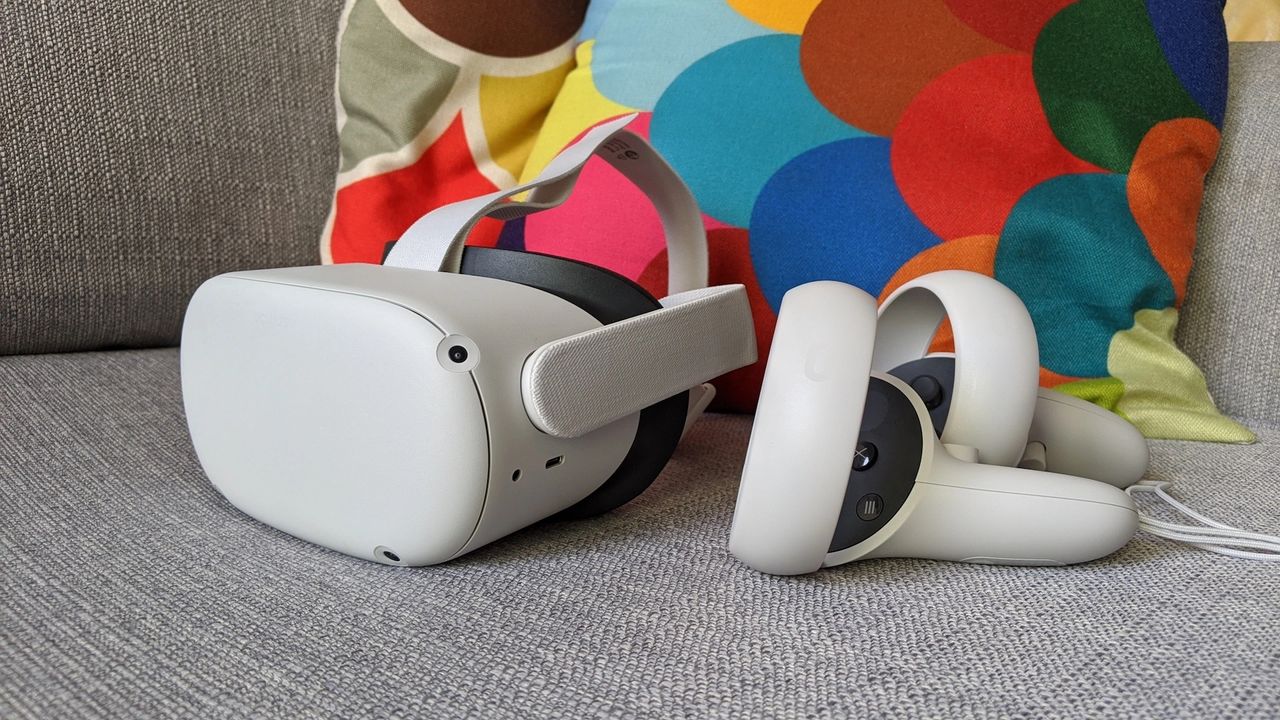
Meta Quest 2.

FAQs

How much does shipping cost from Meta?

All orders from Meta are shipped for free. Once your order has been dispatched, you will be given a tracking number that can be used to follow the status of your delivery so you can keep an eye on when your tech is arriving.

Do I need a Meta account to use my Meta Quest?

Yes, all users will need to sign in to a Meta account to use Meta Quest or AI Glasses. This is the same account you use for Meta-owned social media platforms (namely apps by Meta - previously Facebook - and other platforms like Instagram). Accounts can be created completely free if you don't already have one - just head to the Meta website or switch on your device to get started.

What games can I play on Meta Quest?

You'll find a wide range of titles available to buy and play on your Meta Quest headset, including the likes of Batman: Arkham Shadow (another installment of the venerable Batman Arkham series made specifically for VR headsets), Assassin’s Creed Nexus and the VR port of the classic survival horror game Resident Evil 4. Looking for some inspiration? Check our list of the best VR games.

What is Horizon+?

Horizon+ (formerly Meta Quest+) is a subscription service that gives customers access to a vast library of VR titles and apps for their Meta Quest devices and AI Glasses. Meta adds new games and rotates out old ones each month, so check the list of titles regularly to see what new games you're able to play.

You can choose to pay monthly ($7.99 per month) or yearly ($59.99 a year, or $4.99 a month) when you join. Our recommendation is to consider a yearly plan if you've bought a device and plan to play a lot of different games - although you'll pay more upfront this way, it works out 37% cheaper, saving you money in the long run.

What is the Meta Quest returns policy?

You can return your order quickly and free of charge within 30 days of when your order was dispatched. Once you’ve started the return process, you have to ship your order back within 14 days. Following an inspection, your refund will be processed within five to seven days of it being received by the retailer.

Meta Quest Saving tips

Shop during the holidays

Although not as religiously dedicated to the holidays as other brands, Meta does run a number of sales throughout the year, often including the biggest holidays such as Black Friday and Cyber Monday. We've seen these sales discount items from across the brand's range by up to 60%, including during smaller deals at other random times of year.

Here at TechRadar, we monitor what Meta has to offer, adding any new info on discounts and prices to this page when we can - check back in around the holidays to see what you can save.

Look out for bundles

Often, the best way to buy the Meta Quest is when it’s offered as part of a bundle. These tend to combine devices with free games or accessories, including some of the most popular titles on VR headset, as well as vital extras such as straps, battery packs, and carrying cases. You'll also find bundles including both the Meta Quest and Ray-Ban AI Glasses, with up to $100 off depending on the bundle you choose.

Consider a refurbished headset

Although uncommon, you can occasionally find refurbished Meta Quests selling at up to 25% off their usual price. All refurbished items are returned or open-box models that the brand inspects, cleans and tests to guarantee like-new performance, making this a great way to save if you don't mind a few minor cosmetic blemishes.

Refer a friend

Do you know someone who already owns a Meta Quest headset? If you’re about to buy one yourself, then you should make use of the Meta referral program. Log in to your headset and generate a referral link that you can share with your friend. When they use your link to purchase a VR headset, they'll receive $30 off at the checkout, and once they've activated their device, you'll get $30 in Meta Quest Store Credits as a thank you.

 How to use Meta Quest promo codes

  1. Choose one of the latest Meta Quest promo codes you want to use and click "Get Code" to reveal it.
  2. Copy the code to your clipboard for later, then head to the Meta Quest website and start shopping.
  3. Add your chosen headset to the basket and click the checkout button.
  4. Click the option to “Add a promo code” under the subtotal in the order summary.
  5. Paste your code into the text box that appears then hit apply.
  6. Your basket will be updated with the new discounted price and you can proceed with your order.

How we source coupon codes

Whether it's through our affiliate networks, the depths of the world wide web, or our connections with big name brands, here at TechRadar we use every tool at our disposal to source the latest codes. Our coupons team updates each of our pages multiple times a week with the most recent deals, including exclusive coupons negotiated by our Commercial team. We also include the latest sales info directly from retailers to offer the most up-to-date discounts around.

How we test coupon codes

Each coupon you find on TechRadar has been tested before being uploaded by our dedicated Deals & Offers teams. You’ll see a range of offers, from free shipping to student discounts, with savings available on all kinds of products & services. To make sure every coupon is ready to use, we don’t list any user-specific or one-time codes.

We also include all relevant information about coupons, such as expiry dates and any terms & conditions, near the ‘Get Code’ button. You can see the details for an individual offer by clicking on the ‘Terms & Conditions’ text below the code and expanding the code area.

What to do if a coupon code doesn’t work

Although we do our best to ensure all listed codes are tried & tested, sometimes coupons expire or terms & conditions are changed before we can update pages. Our team works hard to make sure our coupons are active and work as intended, and should you encounter an issue when using one, we’ll work just as hard to help.

The best place to start is by checking the requirements. Click “View terms and conditions” to expand the code section and see any guidance on your chosen coupon. For example, you may need to meet a minimum spend, add other items to your basket to qualify for a multibuy offer, or confirm that your chosen code applies to the items in your basket (i.e. 10% off laptops).

If you’re still having issues using your code, you can email our customer service team on coupons.techradar@futurenet.com. Include as many details as possible - such as which code you used and which coupon page it’s listed on so our team can address your issue as fast as possible.

How we make money

When it comes to coupons, TechRadar earns money via a commission-based model. For every brand we have a coupon page for, we’ve negotiated a deal that means we earn a percentage of total basket value in commission back from every order.

Using this model means we can offer our coupons to our customers free of charge. You won’t pay any fees to add your chosen coupon to your basket - you’ll simply pay the final order total once your discount has been applied.

If you want to find out more about TechRadar’s coupons pages, you can visit our dedicated page on How We Source Coupon Codes and How to Use Them for more information.

Sign up to read this article
Read news from 100's of titles, curated specifically for you.
Already a member? Sign in here
Related Stories
Top stories on inkl right now
One subscription that gives you access to news from hundreds of sites
Already a member? Sign in here
Our Picks
Fourteen days free
Download the app
One app. One membership.
100+ trusted global sources.