Get all your news in one place.
100's of premium titles.
One app.
Start reading
Tom’s Guide
Tom’s Guide
Technology
Philip Michaels

iOS 26 gives your iPhone's lock screen a cool 3D look with spatial scenes — here's how to do it

Customize your iphone lock screen with a spatial photo in ios 26.

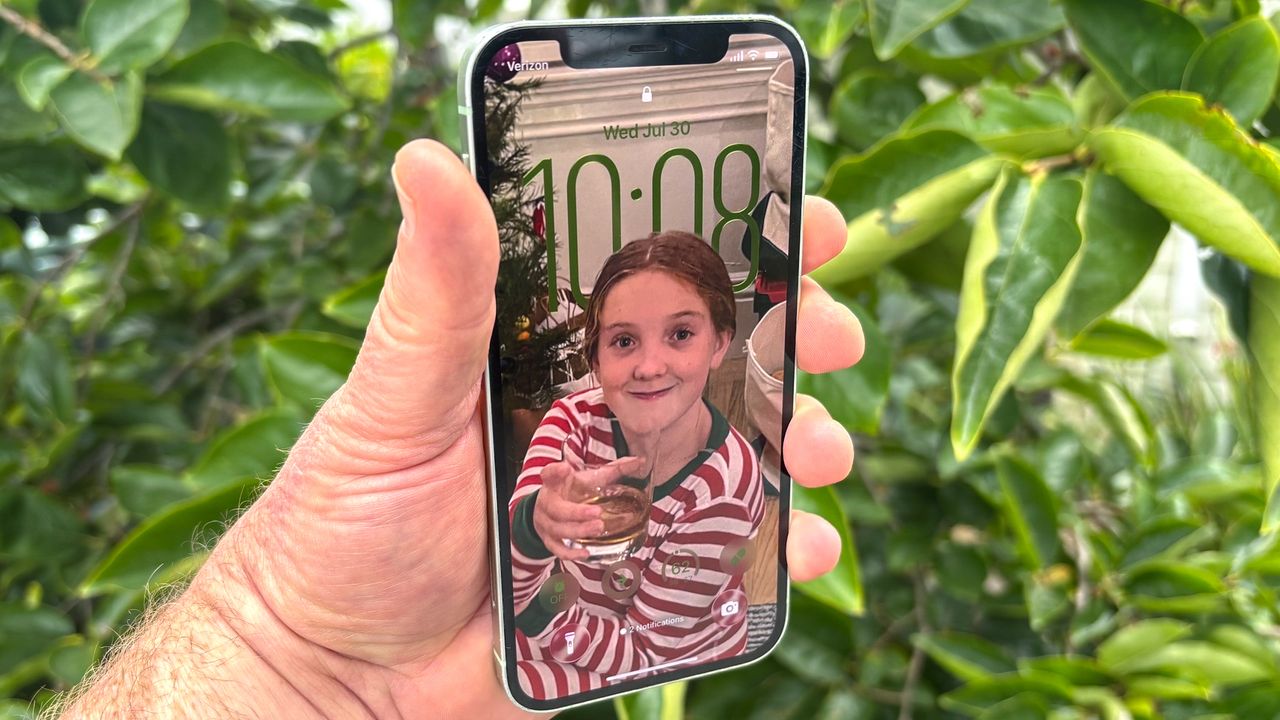
Customizing your iPhone lock screen is nothing new, as Apple's offered that ability since iOS 16. But iOS 26 brings a new dimension to lock screen customization, bringing adaptive time and spatial photo features to the mix.

Adaptive time draws on the Liquid Glass interface debuting on iOS 26, so that the clock on the lock screen dynamically scales to fill the scene, interacting with the image you've picked as your lock screen wallpaper.

Sign up to read this article
Read news from 100's of titles, curated specifically for you.
Already a member? Sign in here
Related Stories
Top stories on inkl right now
One subscription that gives you access to news from hundreds of sites
Already a member? Sign in here
Our Picks
Fourteen days free
Download the app
One app. One membership.
100+ trusted global sources.