
Get all your news in one place.
100’s of premium titles.
One app.
Start reading
Ideal Home
Ideal Home
Sarah Handley

If you want a smart electric heater that will work in every room of your home, including the bathroom, then I might have just tested the ideal option

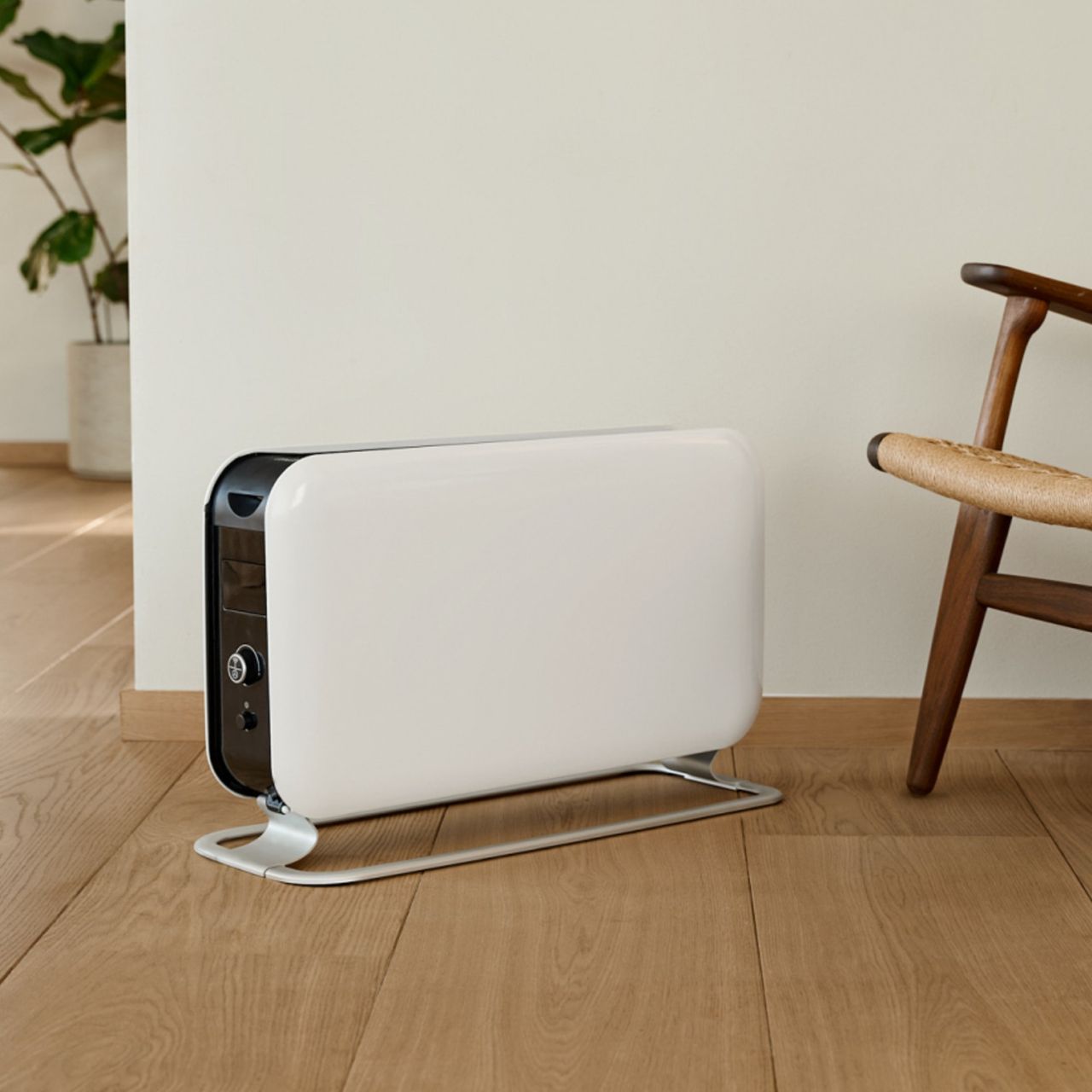
Mill WiFi Max 1500W portable heater standing on the floor next to a wooden chair.

With households seemingly more aware of their energy usage than ever before, staying warm in the most cost-effective way possible will be high priority for most. And I've found that complementing my central heating system with one of the best electric heaters the ideal sweet spot between keeping warm and keeping my bills as low as possible.

But I had never used a smart electric heater before and so I was intrigued to put the Mill WiFi Max 1500W portable heater through its paces, and see whether this could help improve comfort levels, without increasing my bills, all while making my life easier.

Here's how I got on.

In a nutshell

(Image credit: Mill)

With an RRP of £169, this convection heater has a lot going for it. It's got a stylish and minimalist design, and can be controlled via on-board controls or the free Mill app.

From a basic 'turn it on and adjust the temperature' point of view, this heater is really easy to use. There's a simple push button and dial on the heater itself, and a clear display of your chosen temperature setting. You can also control this in the app, and so much more.

I can see most households taking advantage of the app to control the heater via their smart phone wherever they are, using the timer functionality and keeping track of energy usage. However, whether you use all of the smart features this heater has to offer depends on your comfortability with smart devices and how you plan on using the heater.

How I tested

Specification

  • Type of heater: Convection
  • RRP: £169
  • Weight: 5.5kg
  • Dimensions (W x H x D): 62cm x 38.5cm x 24.5cm
  • Wattage: 1500W
  • Running costs per hour: 41.5p
  • Room size suitability: up to 22m2
  • Smart features: WiFi connectivity, app control, open window detection & more
  • Dual functionality: None
  • Oscillation: None

Unboxing, setting up and first impressions

(Image credit: Future/ Sarah Handley)

The heater arrived well packaged, in fully recyclable packaging which always gets a Brownie point from me. I also loved that there was a very handy carry handle on the box, which meant I didn't have to do that weird crab walk people do when trying to carry a sizeable box through a doorway.

There are only five parts in the box, the main heater, the stand (in two parts) and a couple of metal plates to attach it all together. I did have a little panic that they'd forgotten to include the screws in the box, but they are actually already screwed into the holes on the base of the main heater unit so I just grabbed a screwdriver to take them out.

All in all, I managed to assemble it single handedly in less than five minutes. Result.

On seeing it assembled for the first time, I loved how sleek and contemporary it looked. The heater has white gloss sides, a black grill separating them and a brushed chrome stand. It definitely wouldn't look out of place in a modern and minimalist home.

(Image credit: Future/ Sarah Handley)

It is possible to just plug this heater into a socket, turn it on and off you go, but a big draw of this model was it's WiFi connectivity. It takes a few minutes to go through and set up your profile on the Mill App, which then walks you through how to connect your heater to your WiFi (so make sure you have your password handy). It did take me a couple of goes to get connected, which was a bit frustrating in a world where we take this for granted. But I got there in the end.

Once connected, you have the option to add it as an independent device in the Mill App (which means you can turn it on and off, adjust the temperature, use timers and turn on any child locks, as well as see your energy usage), or to assign it to a Room (which allows you to set up weekly programmes).

I started off with the heater as an independent device. There's a bit of a smell when you first turn it on, which the instructions confirmed was to be expected, and it was gone after about 10 minutes.

What’s it like to use?

(Image credit: Future/ Sarah Handley)

The on-board controls are really easy to use, and it's great that it shows the actual temperature the heater is set to, rather than, say, a 1-5 scale that you might see on other heaters. You simply turn the large dial to adjust the temperature.

It heats up quickly and the best part is that it is utterly silent. But while it is so quiet when it's on, I was worried that I might forget to turn it off. Definitely not want I want with an electric heater, which when used for long periods can be very expensive.

And so I switched to testing the controls via the app, which very handily include a timer function. Once you're device is connected and plugged in, you can use the timer on the app to turn it both off and on, which is a great feature if you want take the cold edge off a room before you step into it.

If you have kids at home, you can also lock the controls on the unit from the app, so you don't have to worry about curious little fingers getting a little too curious and ramping the temperature up.

Having the heater set up as an independent device in the app is definitely my preference way of controlling the heater as I only really use it as a complement to my central heating, and getting an extra blast of warmth when it gets a bit chilly and I don't want to put the central heating on for another hour.

For something much more involved, you can set up a room in the app, and set weekly schedules. I found these rather confusing to set up, but fortunately found a YouTube video, that helped get me on the right track. I can see this being a useful if you plan to keep your heater in a home office, where you may have very specific times you use the space. But this could get confusing if you are taking advantage of the portability of the heater and moving it around your home. You'd need to set up multiple schedules, which is doable, but remembering to switch between them is a harder task. Plus, using an electric heater as a primary heat source, instead of a supplementary one is an expensive endeavour.

I used the heater primarily in my living room and home office, but what's great about this heater is that it is also IPX4 rated, which means it can be used in a bathroom.

And on the topic of portability, there are two insets at the top corners of the heater that allow you to lift it with ease. However, as you are effectively lifting with your finger tips, this might not be that easy for someone with any dexterity concerns. A heater with wheels, like one of the best oil-filled radiators may be a more suitable option if that was the case.

From a safety perspective, it has a tip over switch, which means it'll turn off it it's knocked over, overheat protection and a child lock. The low surface temperature also means that risk of burns are minimal.

What are the running costs like?

If we use the January 2026 energy price cap figure for electricity, which is 27.69p per kWh, this 1500W heater would cost around 41.5p per hour to run. So it's not cheap.

However, the Mill WiFi Max 1500W heater has some cool features to help you keep track of and reduce how much energy it uses.

You can not only track how much energy your device is using in the app, but it also has what it called PID Wattage Tech. This means that when your chosen temperature is reached, the device will lower the power level to maintain it, which not only means more stable heating, but also lower energy bills.

Cleaning and maintenance

The good news is that there isn't a lot you need to do when it comes to cleaning or maintaining the Mill WiFi Max 1500W heater.

Keeping it as free from dust as possible is a good idea to keep it in good working order. Make sure it's cool and unplugged before running over with with a clean dry cloth. You could also clean between the grates with an ear bud. Using a hair dryer on a cool setting could also help clear the dust and prevent any smells caused by dust on the heat component that you wouldn't be able to get to with a cloth.

When it's not in use over the summer, store the unplugged heater on a stable surface and cover with a sheet to prevent dust build up.

It's also important to regularly check that the cable isn't showing any signs of damage.

Who should buy the Mill WiFi Max 1500W portable heater?

If you want a contemporary looking heater to complement your central heating schedule, then the Mill WiFi Max 1500W portable heater is worth considering. It'll heat up a medium-sized (up to 22m2) room quickly and silently, and it's PID Wattage Tech means that it's clever enough to not use more energy that in needs to in order to keep you warm.

The WiFi connectivity means that you can control this heater via the app from wherever you are, and set up both timers and schedules that allow it to learn your environment and preferences.

The fact that this heater is also IPX4 rated also means that it can be used in a bathroom, which can't be said for every electric heater.

However, all of this comes with a RRP of £169, and so if you don't need the smart functionality and aren't fussed about the sleek Scandinavian aesthetic, then you may be better suited to a simpler heater with on-board controls only, such as the Dreo Fan Space Heater.

Sign up to read this article
Read news from 100’s of titles, curated specifically for you.
Already a member? Sign in here
Related Stories
Top stories on inkl right now
One subscription that gives you access to news from hundreds of sites
Already a member? Sign in here
Our Picks
Fourteen days free
Download the app
One app. One membership.
100+ trusted global sources.