Get all your news in one place.
100’s of premium titles.
One app.
Start reading
Tom’s Guide
Tom’s Guide
Technology
Jane McGuire

‘I wear an Apple Watch to track my sleep, and this simple switch has changed my morning routine.’

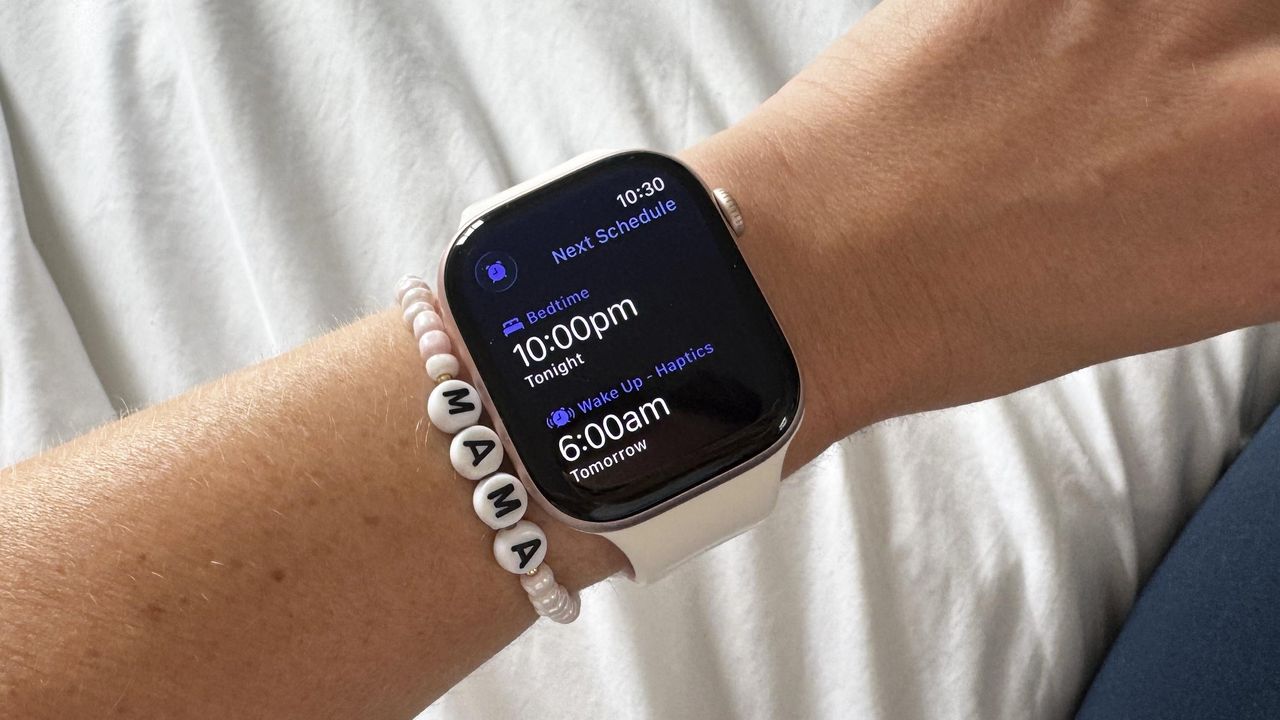
Apple Watch Sleep Schedule.

I’ve said it before, and I’ll say it again — there’s nothing like the iPhone Radar alarm when it comes to getting your day off to an awful start. If, like me, you’re not a morning person, this is the article for you. I wear an Apple Watch every day (and night), and have been using it to track my sleep for years (here’s three features you should be using if you wear your Apple Watch at night), and this simple switch is a game-changer.

When sleep schedule is enabled on your Apple Watch, you can choose to be woken up by haptic alerts, which are more of a gentle tap on your wrist. You can only activate the gentle sleep haptic alert if you set up a sleep schedule, but experts reckon these are a less jarring, more personalized way to be woken up.

Read on to find out more.

How to set up sleep haptic alarms

Compared to normal vibrating alarms, Apple’s haptic alarm is more of a gentle tap on your wrist. The accompanying sounds, if you choose to have them turned on, are also a world away from Apple’s Radar. You can customize the haptic alarm fully, choosing the pattern of vibrations that feels least aggressive for you, and choose whether you prefer a silent alarm that doesn’t wake your partner up.

To set up the haptic alarms, you’ll need to set up a sleep schedule on your Apple Watch. To set up a sleep schedule, you need to do so in the Health app. The Apple Watch will also switch automatically into Sleep mode when your bedtime approaches, turning off any notifications across all your Apple devices.

This is also important if you want to see your morning report every morning, as your Watch needs to be in sleep mode to display it. While your Apple Watch can’t read you a bedtime story (yet), it can give you wind-down reminders as your bedtime approaches. Plus, you can set a different bedtime schedule for the weekend if, unlike me, you have a life.

(Image credit: Future)

You can edit your sleep schedule from your Apple Watch itself, as well as switch your sleep alarm on or off. If you want to customize your haptic alarm further, you’ll need to head to your Sleep Focus menu in your iPhone settings. From here, head to your Sleep Schedule mode, then toggle the Alarm Options on.

You can then customize the haptics — I opted for the gentle heartbeat, which I found was a much calmer start to my day. I also listened to all of the gentle wakeup sounds and landed on Orbit, which again, was pretty calm and relaxing. You can change the intensity of the alarm itself from ‘default’ to ‘prominent’ on your watch.

If you’re looking for a calmer start to your day, no matter how hectic things turn out to be once you get out of bed, I recommend experimenting with the haptic sleep alarms.

Follow Tom's Guide on Google News and add us as a preferred source to get our up-to-date news, analysis, and reviews in your feeds.

More from Tom's Guide

Sign up to read this article
Read news from 100’s of titles, curated specifically for you.
Already a member? Sign in here
Related Stories
Top stories on inkl right now
One subscription that gives you access to news from hundreds of sites
Already a member? Sign in here
Our Picks
Fourteen days free
Download the app
One app. One membership.
100+ trusted global sources.