Get all your news in one place.
100’s of premium titles.
One app.
Start reading
Tom’s Guide
Tom’s Guide
Technology
Amanda Caswell

I used Nano Banana to make my family's holiday card — here how I did it (and how it came out)

Nano Banana.

There are a lot of reasons why I’m leaning on Nano Banana this year for our family holiday card. For starters, my phone is already overflowing with thousands of photos of my kids, my husband, and — let’s be honest — a fair number of selfies.

But getting all five of us together for a single, tantrum-free, on-schedule photo? That’s the stuff of holiday miracles. Between soccer tournaments, school concerts and work deadlines, I’m lucky to be sending a card at all.

That’s why Nano Banana, Google’s playful, photo-generation AI tucked inside Gemini, has become my secret to looking like I have it all together this holiday season. It’s so easy and surprisingly realistic that this might be the first year our family card doesn’t end in tears, bribes or a generic holiday image.

Here's everything you need to know to create your own holiday card with Nano Banana this year.

Step 1: Gather your favorite images

(Image credit: Future)

Start by rounding up your favorite photos. For me, this includes summer camp pictures, some taken on family outings and even a few around the house. The goal for this project was to gather rare shots of my four-year-old without Nutella on his face, my daughter in something other than a leotard and my oldest actually smiling.

Perhaps the whole reason I'm doing this at all is that these candid pictures do not need to be perfect — Nano Banana handles that part. The key is to choose a few images where faces are clear and lighting looks decent. You can even mix and match individual portraits so everyone looks their best.

Step 2: Upload to Nano Banana and give it a festive prompt

(Image credit: Future)

Once you have your photos, upload them into Nano Banana with a simple prompt such as:

“Using these images, create a cozy holiday-themed family photo. Make sure everyone is wearing coordinated winter colors and the background looks festive. Do not change the faces or facial features." That last sentence is key to keeping everyone looking like thenselves.

Want to take it up a notch? Tell Nano Banana to dress everyone in matching plaid pajamas, add twinkly lights, or even generate an “ugly sweater” version. The tool’s image consistency is shockingly good, so have fun experimenting.

Step 3: Review, tweak and re-prompt

(Image credit: Future)

If you’re lucky, you’ll nail it on the first try. But since that rarely happens (in AI or parenting), this is your moment to fine-tune. You can ask Nano Banana to swap backgrounds, remove weird details, brighten the lighting or add classic holiday touches — snowflakes, a tree, maybe even an adorable reindeer.

A few iterations later, you’ll have a card-ready photo that looks like it came straight from a professional shoot — minus the meltdowns.

Bonus: Reinvent your old favorites

(Image credit: Future)

Everyone has that one family picture that miraculously turned out perfect. Why not reuse it? Nano Banana can re-style existing photos for any season or theme. I tested it with shots from a beach vacation, a trip to the strawberry patch and even a random park day — and each one transformed beautifully into holiday-ready greeting card.

You can do the same for birthdays, thank-you cards or next year’s Valentine’s Day greetings. Once you get the hang of prompting, the creative possibilities are endless; and you’ll never have to coordinate matching outfits again.

(Image credit: Future)

The bottom line

Nano Banana might just be secret to a less stressful holiday season — at least the end of the annual family-photo struggle. It’s fast, fun and way easier than begging everyone to “stand still for one more picture." If AI can make holiday cards this painless, consider me converted.

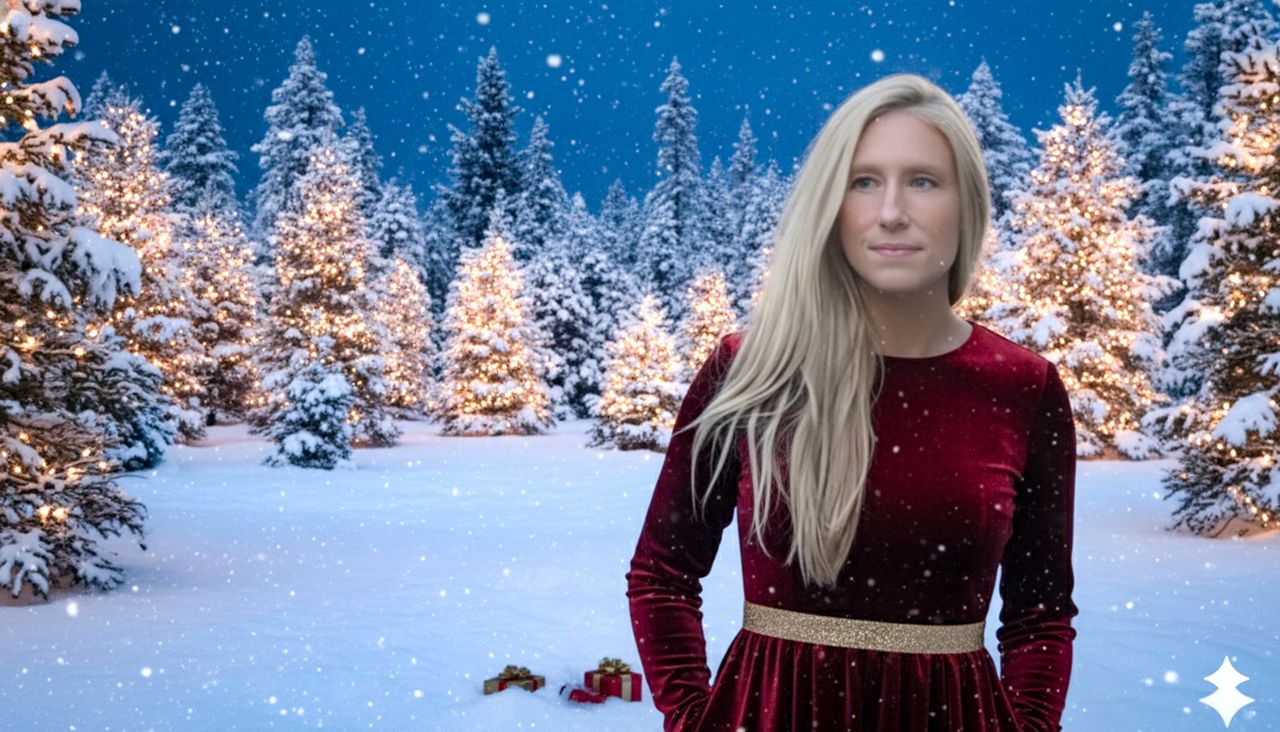
By the way, if the hero image looks familiar, you're right; it's from this story with a little holiday help from Nano Banana.

Follow Tom's Guide on Google News and add us as a preferred source to get our up-to-date news, analysis, and reviews in your feeds.

More from Tom's Guide

Sign up to read this article
Read news from 100’s of titles, curated specifically for you.
Already a member? Sign in here
Related Stories
Top stories on inkl right now
One subscription that gives you access to news from hundreds of sites
Already a member? Sign in here
Our Picks
Fourteen days free
Download the app
One app. One membership.
100+ trusted global sources.