Get all your news in one place.
100's of premium titles.
One app.
Start reading
Tom’s Guide
Tom’s Guide
Technology
Jane McGuire

I use this hidden Garmin feature on all of my long runs: Here's how to find it

Garmin's Turn Around feature .

There’s no doubt about it: Garmin makes some of the best running watches on the market, but they’re really good at hiding some of the watch's best features. Whichever model you choose, I’d estimate you’re still probably only using about 15% of the tools on board.

I’m here to change this with simple tips and tricks to help you get the most out of your tech (check out how to use Garmin’s Body Battery feature and HRV status here).

One feature I use all the time on my long marathon training runs, where I lose the will to live, to plot complicated routes and just head to the Thames Path, turning around at the halfway point, and whenever I’m running anywhere new, is the Turn Around alert.

Read on to find out how to use this hidden but helpful tool.

How to use the Garmin Turn Around alert

Garmin’s Turn Around Alert is exactly what it sounds like. It’s an out-and-back navigation feature that will notify you when you reach the halfway point of your planned run, whether that be time or distance.

As mentioned above, I typically head out to follow the River Thames for my long marathon training runs and will simply turn around when I reach the halfway point. This might be mind-numbing for some, but it saves me having to plot complicated routes and lets me focus on my run.

(Image credit: Future)

This alert works on most Garmin watches, including the current Forerunner lineup of the Forerunner 70, Forerunner 170, Forerunner 570, and Forerunner 970. Here’s how to set up the alert.

How to set up the Garmin Turn Around feature

  • Head to Run on your Garmin
  • Scroll down to Run Settings
  • Select Alerts
  • Click Add New
  • Then Custom
  • Scroll down to Turn Around
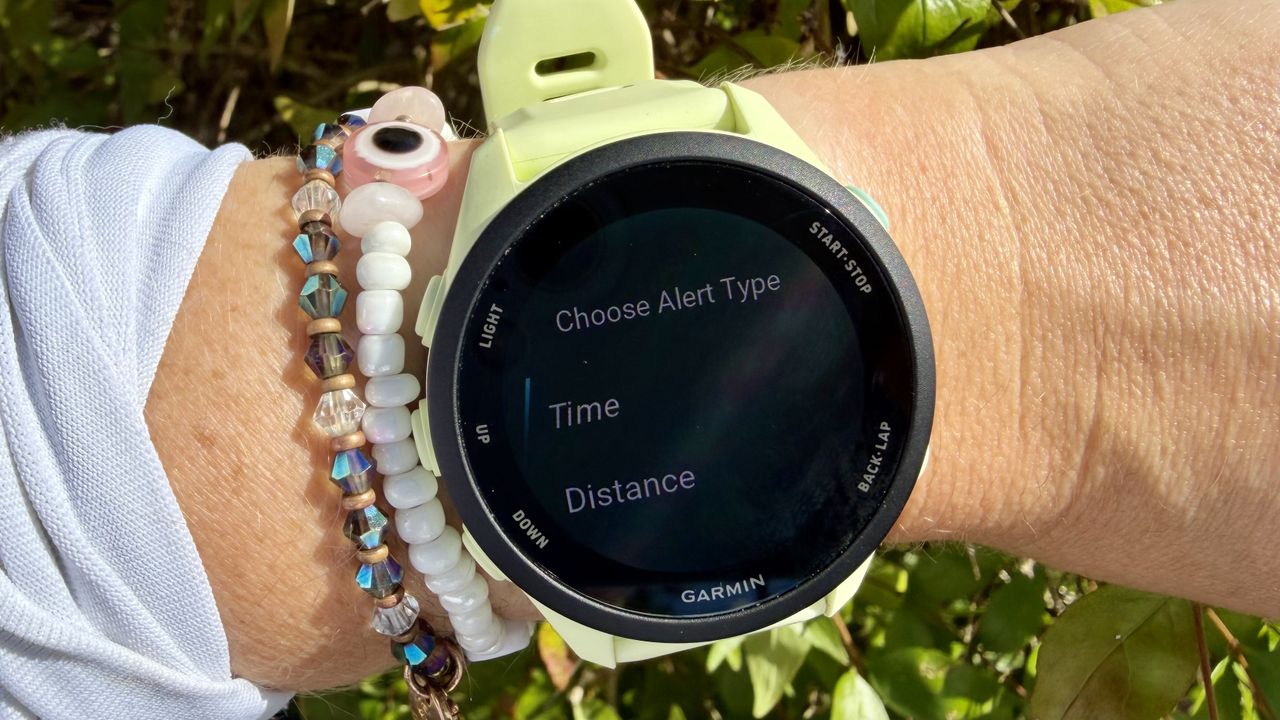
  • You can then choose whether the alert goes off after a certain period of time or halfway through your run’s total distance.
  • Input the total duration or distance of your run, and your watch will send a Turn Around alert when you reach halfway.

If you’re running somewhere new and don’t have the time to sit and plot a new route, this alert allows you to lace up and start running, then turn around and finish exactly where you started.

Be sure to keep an eye on Tom’s Guide for more Garmin tips and tricks.

More from Tom's Guide

Sign up to read this article
Read news from 100's of titles, curated specifically for you.
Already a member? Sign in here
Related Stories
Top stories on inkl right now
One subscription that gives you access to news from hundreds of sites
Already a member? Sign in here
Our Picks
Fourteen days free
Download the app
One app. One membership.
100+ trusted global sources.