Get all your news in one place.
100's of premium titles.
One app.
Start reading
Tom’s Guide
Tom’s Guide
Technology
Brian Nadel

I tried this thermal imaging camera and it instantly helped me troubleshoot an overheating Wi-Fi router

A person holding a thermal imaging camera.

Over the past decade, I’ve looked at over 200 of the best Wi-Fi routers and while giving each a hard workout, I checked their temperature with my trusty Fluke 62 Mini Infrared Thermometer. Its red laser pointer allowed me to nose around the router looking for thermal hotspots. Inefficient sure, but I got pretty good at it.

Lately, I’ve found a better way to take a router’s temperature. I now use Topdon’s TC004 thermal imaging camera that delivers a thermal image instead of random temperature readings. The 3.5-inch display shows temperature as color with a scale on the right.

Here’s how it helped me find the ideal spot for my Wi-Fi router and why I should have invested in a thermal imaging camera years ago.

Seeing is believing

(Image credit: Tom's Guide)

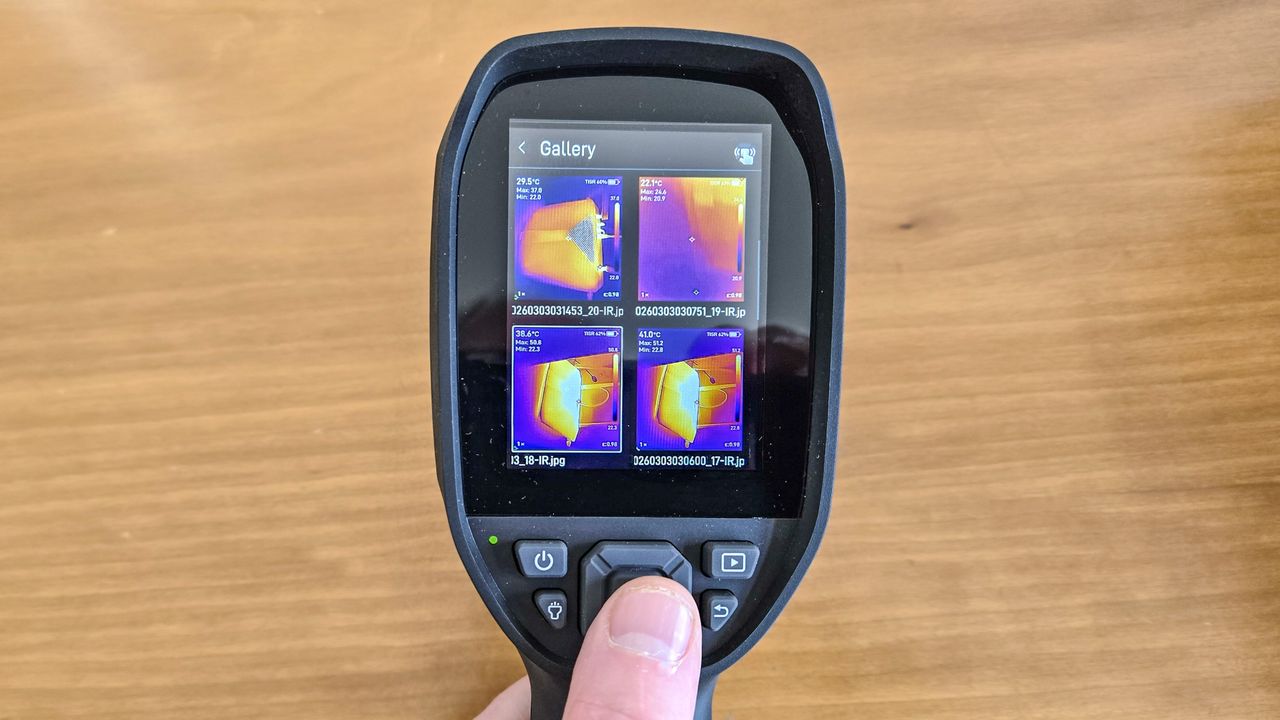
At any time, I can snap a screenshot or shoot video that’s saved on its 64GB of internal storage. They end up in the TC004’s gallery showing four thumbnails at a time. The files can easily be moved on to my computer with the included USB-C cable. Topdon also has Windows transfer software (sorry, no Mac software yet) as well as the TopInfared app for Android and iOS that connects over Wi-Fi to deliver a live view as well as access and synchronize the stored files.

At 18 ounces, the black and blue TC004 feels heavy compared to the 9-ounce Fluke 62 although its grippy handle compensates for that. Sturdily built, the TC004 is protected against dust and water with an IP54 rating. For the clumsy – like me – it’s been engineered to survive a 6-foot drop.

Like the Fluke IR thermometer, Topdon’s thermal camera has a red laser pointer that helps aim the infrared sensor to measure the intensity of heat-carrying infrared wavelengths between 8 and 14 microns; it has a 2 percent accuracy over its -4 to1,022-degree Fahrenheit range. The 56-degree vertical field of view helps with large items — like a car’s engine — while the 4X digital zoom helps with small ones – like a hot AC adapter.

I started with the heat pattern of my hand, where my warm fingers glowed yellow. The device’s LED lights up the target to add a realistic video overlay on top of the thermal image.

(Image credit: Tom's Guide)

It all came together with a hot Netgear Nighthawk AX6 router in a basement bookshelf. The TC004’s thermal image showed 123 degrees Fahrenheit and a bright yellow hot spot at the apex of the device’s vent. It’s all because I committed the cardinal sin of placing the AX6 where it was starved for cooling air.

[[tc004 hot and cool side by side]]

After cleaning the dust underneath, I put the AX6 on a vertical stand away from the bookshelf’s wall to self-cool. The temperature dropped to a more reasonable 91 degrees Fahrenheit.

An ideal tool for any tester

(Image credit: Tom's Guide)

Priced at $369, Amazon often sells the Topdon TC004 for $289, making it a hot bargain. If that’s too much for a glorified thermometer, there’s also the $160 Mini version that can’t record video and has a smaller screen.

For my money, the full size TC004 is one of the hottest items in my testing toolkit and I want to keep it that way.

More from Tom’s Guide

Sign up to read this article
Read news from 100's of titles, curated specifically for you.
Already a member? Sign in here
Related Stories
Top stories on inkl right now
Our Picks
Fourteen days free
Download the app
One app. One membership.
100+ trusted global sources.