Get all your news in one place.
100's of premium titles.
One app.
Start reading
Windows Central
Windows Central
Technology
Daniel Rubino

I hit the Windows 11 emoji picker bug that hides search and found a quick fix

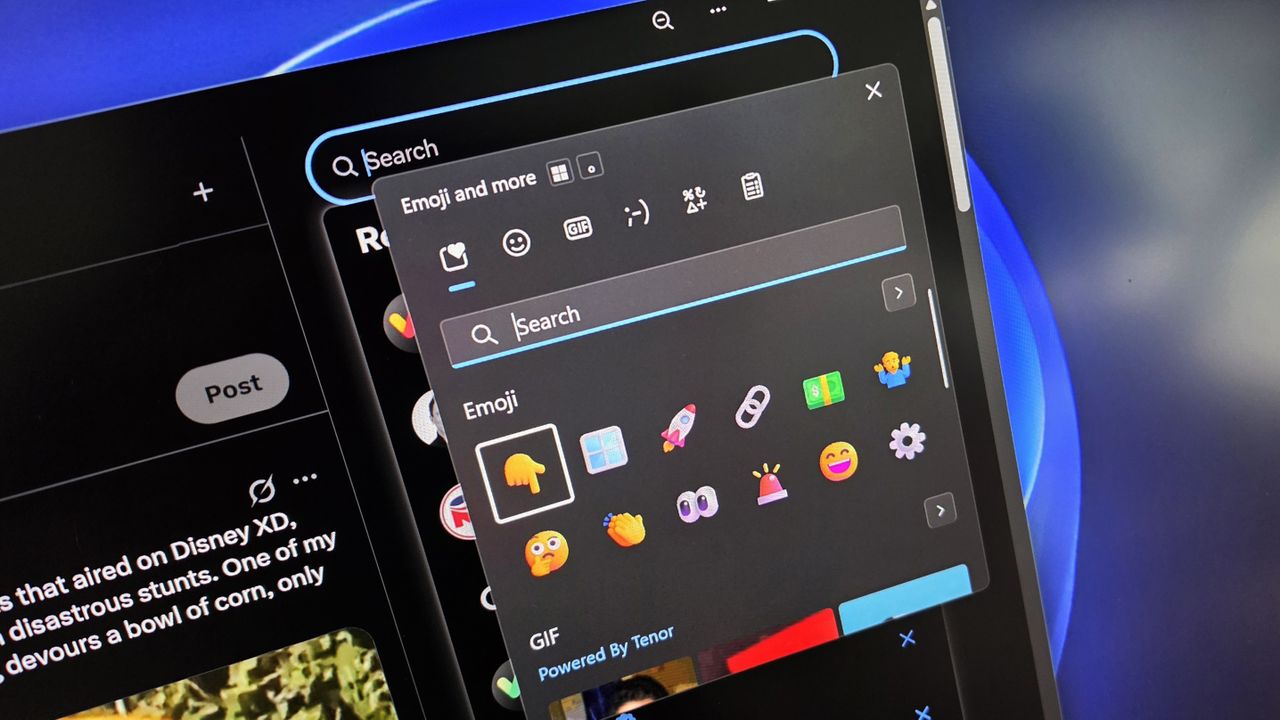
A computer interface shows an open emoji and GIF selection sidebar, overlaying a dark-themed app. Colorful emojis are featured on a sleek digital screen.

Windows 11’s emoji picker has a new habit of breaking at the worst possible moment, and nothing is more annoying than watching the search box vanish for no reason. The good news is that the fix is fast, hidden, and works even when the UI looks completely broken.

If you’re like me, you admittedly abuse using emojis for various reasons, so when I’ve brought up the emoji picker in Windows 11 in the last few days, only to see the search box gone, well, it made my life a bit more difficult.

I figured maybe this is just a quirk with my PC until a colleague of mine, Nick Sutrich of Android Central, brought it up in Slack, wondering if anyone else had seen this, and that’s when I would have dropped in some 👀 if only I could search for it.

Turns out, rebooting your PC often fixes it, but who has time for that during a weekday?

Luckily, there’s an easy way to fix this until Microsoft figures out what is causing it in the first place (note: I’m on Beta for Insiders, which is hilarious, as I was 99.99% sure I signed up for Preview Release months ago, so that’s another thing for me to figure out as I just learned that writing this article).

Anyway, enough banter.

How to get back ‘search’ for Windows 11’s emoji picker

Restarting Windows Explorer in Task Manager fixes no search for emojis. (Image credit: Daniel Rubino)

This will take you all of 30 seconds, and a brief moment of your taskbar dissapearing. Don't worry, it'll be OK.

  1. Press Ctrl + Shift + Esc to open Task Manager.
  2. Find Windows Explorer in the list.
  3. Right-click it and select Restart.

Doing this forces the UI elements to reload properly.

This worked for Nick and me, so it should work for you, so good luck!

Until Microsoft ships a proper fix, this quick workaround is the easiest way to get emoji search working again. It’s not elegant, but it gets the job done and saves you from wrestling with a feature that should never disappear in the first place.

More resources

Explore more in-depth how-to guides, troubleshooting advice, and essential tips to get the most out of Windows 11 and 10. Start browsing here:

Join us on Reddit at r/WindowsCentral to share your insights and discuss our latest news, reviews, and more.

Sign up to read this article
Read news from 100's of titles, curated specifically for you.
Already a member? Sign in here
Related Stories
Top stories on inkl right now
One subscription that gives you access to news from hundreds of sites
Already a member? Sign in here
Our Picks
Fourteen days free
Download the app
One app. One membership.
100+ trusted global sources.