I test AI tools for a living, but I also use these tools off the clock. Every day I use AI in simple ways to keep myself organized, informed and less overwhelmed. From fact-checking social media posts to deciding which subscriptions are draining my bank account, these practical uses seamlessly fit into my day.
Most of these work with just about any chatbot, so feel free to go beyond ChatGPT and explore others like Claude, Gemini or Perplexity.
Here are nine ways I use AI every day to solve small problems in genuinely useful ways.
1. Fact-checking what I see on social media
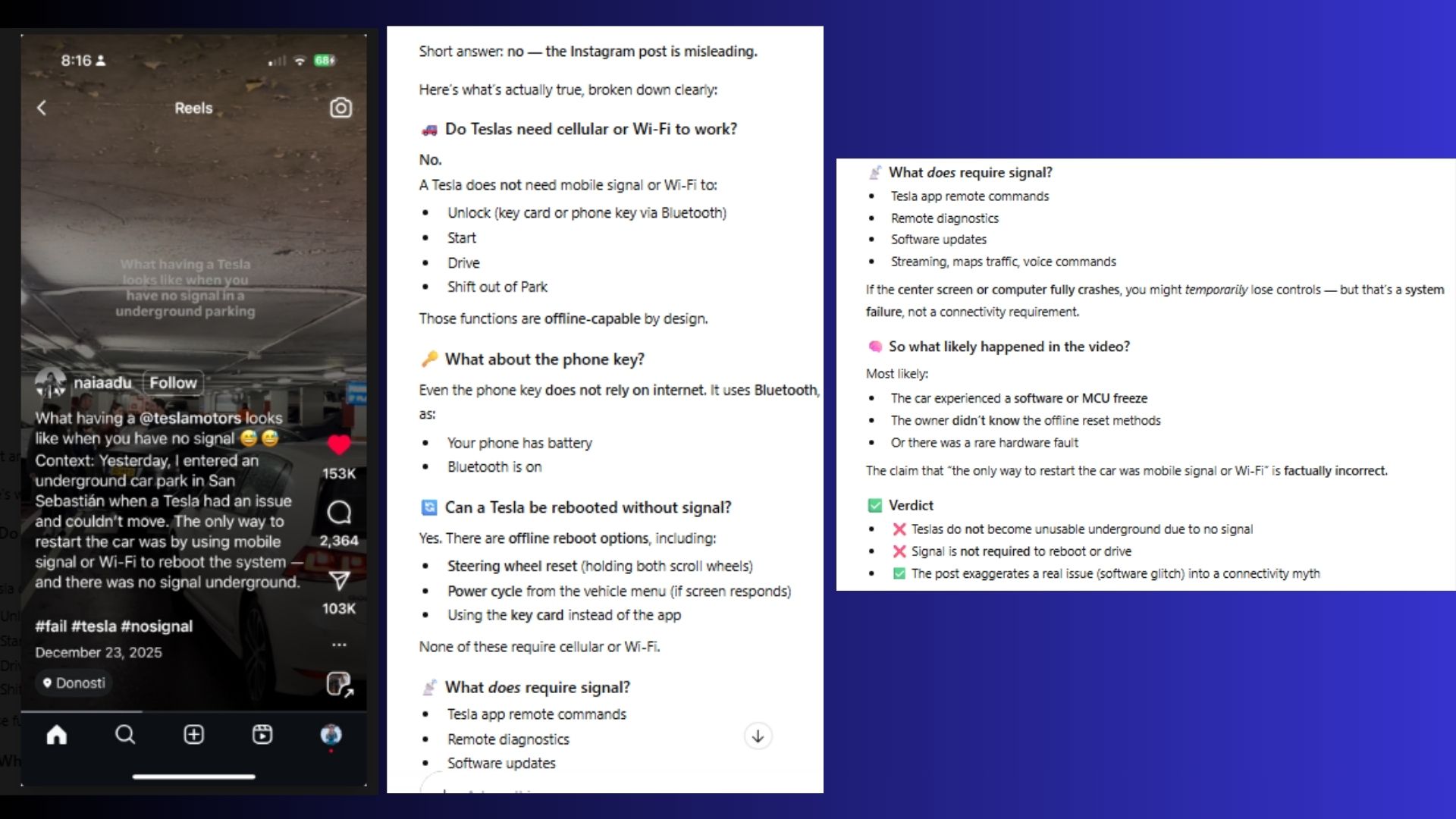
If something feels off on Instagram, Facebook or TikTok, I don’t argue in the comments — I upload the post or paste the link into a chatbot.
AI can trace claims back to original sources, flag misleading stats and tell me whether something is contextually true, exaggerated or flat-out fake. This is a great solution to avoid and help stop spreading misinformation.
2. Finding items I thought were lost forever
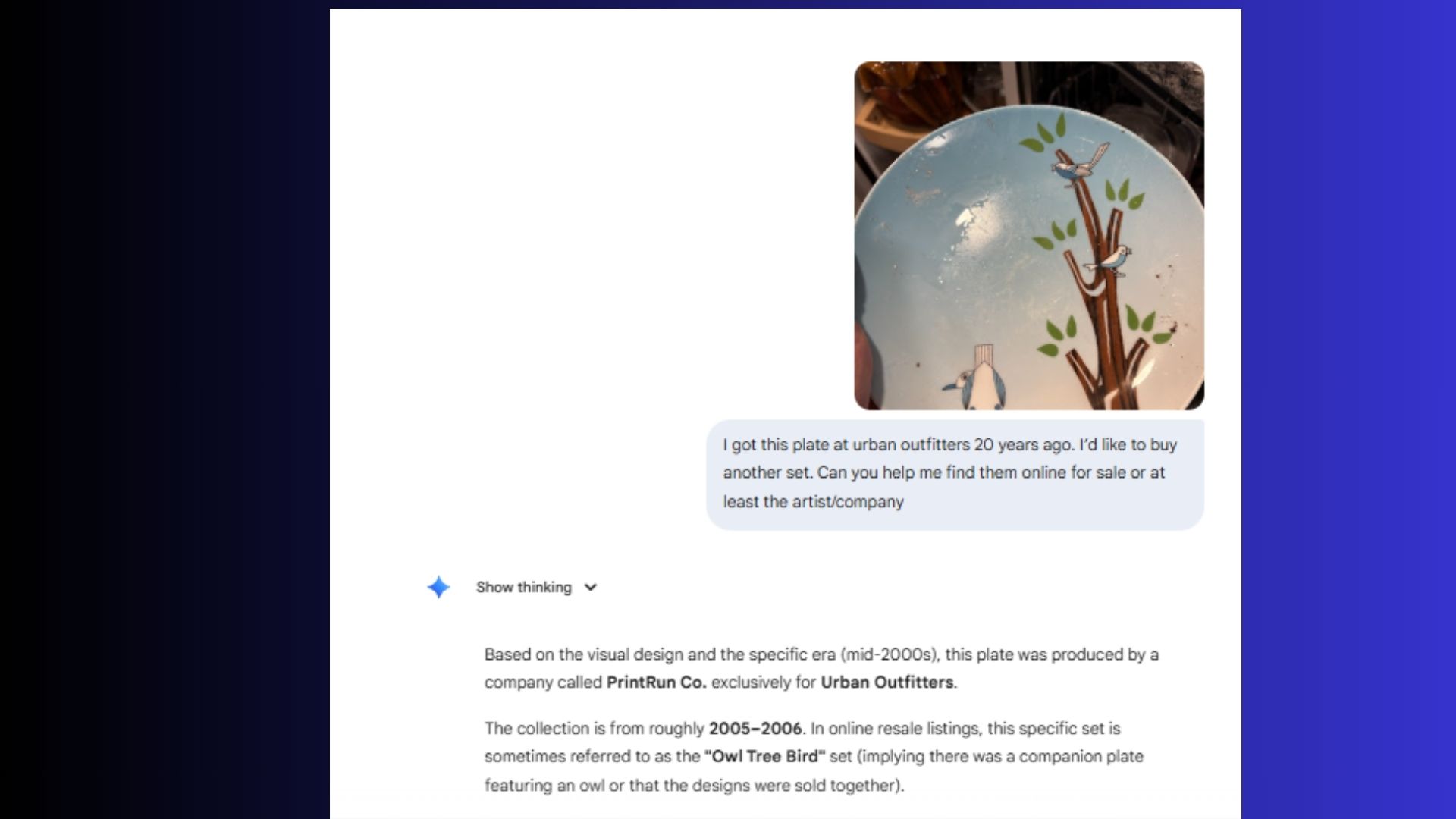
This one surprised me. I uploaded a photo of a plate I bought nearly 20 years ago from Urban Outfitters, assuming it was discontinued.
Gemini identified the pattern, tracked the original line and I now follow the company on Instagram. What I thought was gone forever turned out to be very findable — I just didn’t know where to look.
3. Reading tiny print
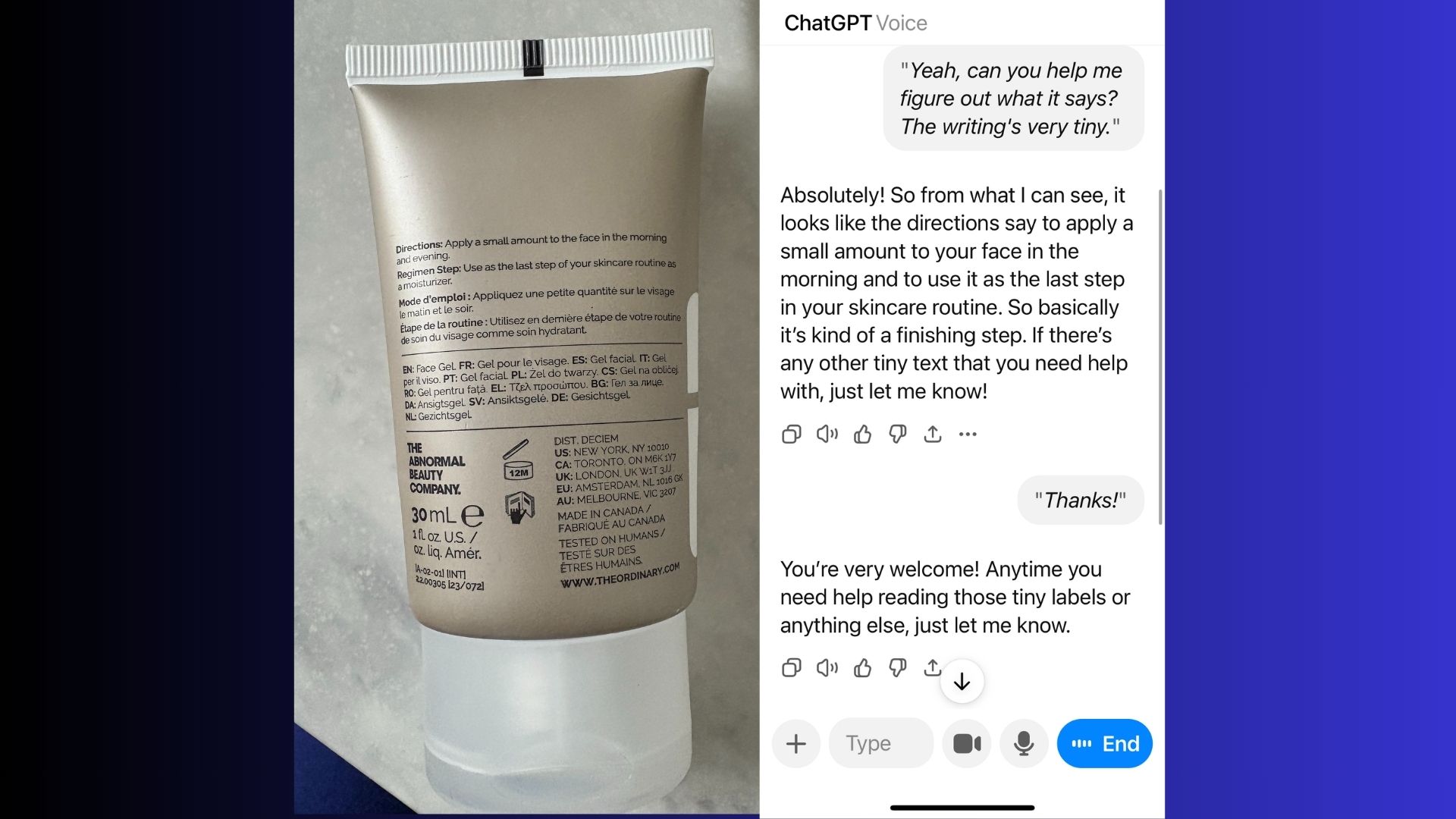
This is a hack I use more often than I’d like to admit. When I don’t have my glasses or contacts in, it’s really hard for me to read small print.
I’ll use ChatGPT Voice and Vision to read the small print on everything from skincare bottles to appliance manuals. I even use this trick at the grocery store to check the tiny expiration labels. AI is shockingly good at reading tiny text.
4. Translation
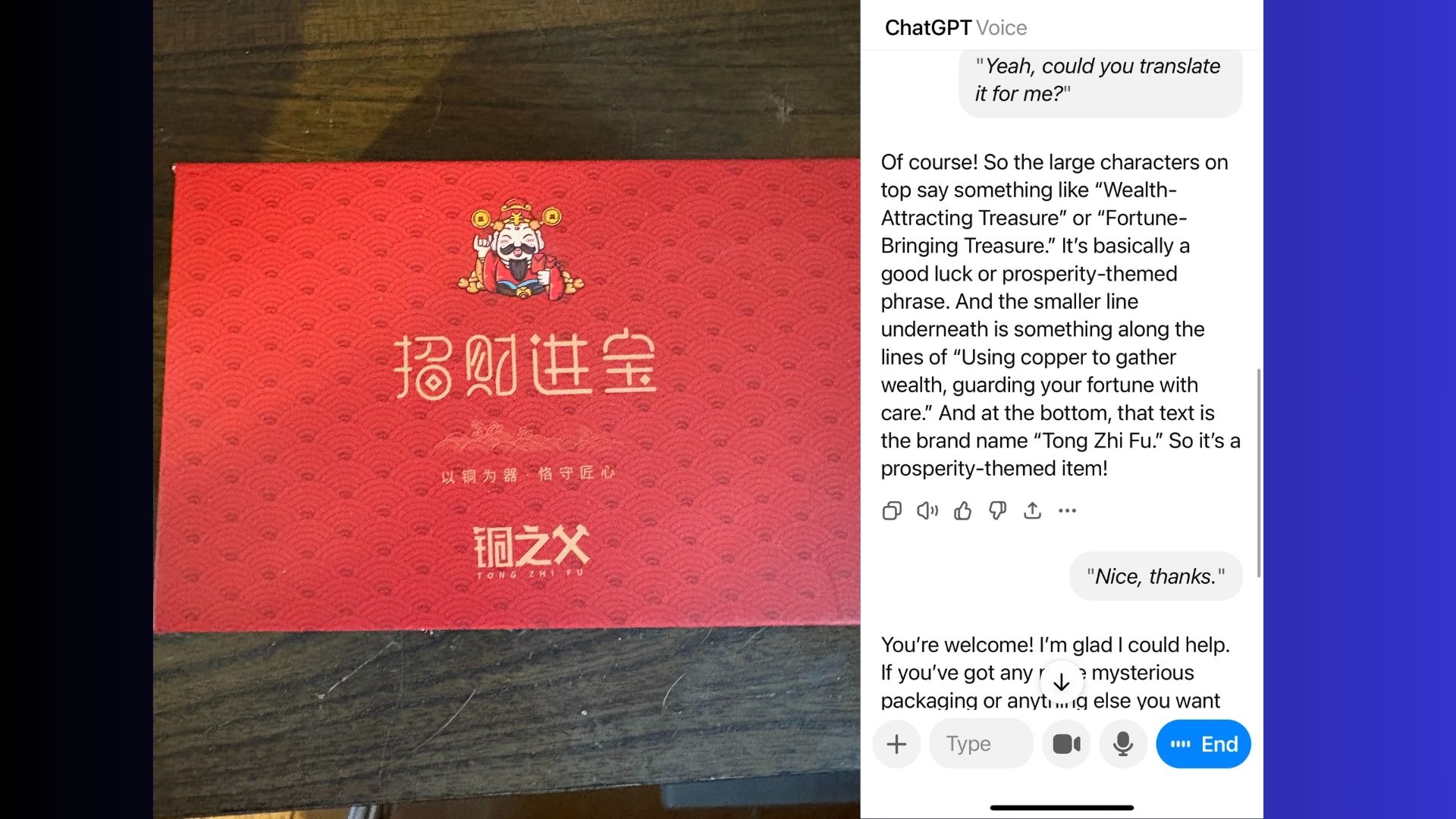
I recently received a gift from a friend in China. I wouldn't have had any way to translate the messaging on the box or even the company name if it weren't for the help of ChatGPT.
Similarly, I've recently fallen down the Korean skincare rabbit hole — the serums, essences and sunscreens are incredible, but there’s one problem: I don’t speak Korean. Instead of guessing, I started using AI to translate ingredient lists directly from the packaging and explain what each ingredient actually does for my skin.
I just upload a photo of the product or use ChatGPT Vision or Gemini Live to translate the text and follow up with a question like, “What does each of these ingredients do, and who is this product best for?”
5. Getting a quick refresher on my kids’ homework

When your kid asks for help with long division, Revolutionary War timelines or science concepts you haven’t thought about in decades, the panic is real.
AI gives me a fast, judgment-free refresher so I can actually help instead of Googling frantically while pretending I remember this stuff.
6. Recreating recipes from a photo

I’ve used AI to recreate recipes from magazine photos, restaurant dishes and even screenshots from Instagram.
I simply upload the image, describe what I loved about it and how many servings I want to make, and AI can reverse-engineer ingredients and steps. It’s not perfect — but it’s good enough to get surprisingly close.
7. First Aid for my cat after hours

When my cat started licking her skin late one evening, my options were limited. I didn’t know if I really needed to go to the emergency vet, and the internet was a minefield of worst-case scenarios. So I did what I do now when something feels urgent but unclear: I asked AI.
ChatGPT didn’t try to diagnose her or replace a vet. What it did do was help me triage. It explained which symptoms were common and likely benign, which ones were concerning, and even what to share with the vet in the morning.
8. Shifting my mood during the winter months

Winter messes with my mood every year. Shorter days and gray skies can make the days feel heavier than usual, but AI helps keep my mood in check. I’m not talking about clinical depression, just the low-level winter fog that makes everything feel like more effort than it should.
When I notice it creeping in, I use AI in a very specific way: not to “fix” my mood or act like a therapist, but to nudge it towards ways to stay energized and reframe my thoughts positively.
9. Figuring out whether a subscription is actually worth keeping

It feels like everything is a subscription now. Streaming services, apps, productivity tools, fitness platforms — even features that used to be one-time purchases quietly turn into monthly charges. Over time, it becomes hard to remember what you signed up for, why you did it, or whether you’re actually getting value out of it.
When I’m on the fence, I’ll paste my charges, usage history or renewal emails into AI and ask a simple question: Is this worth keeping based on how I actually use it?
AI helps me look at the numbers and compare costs versus frequency, flags overlaps with other services I already pay for and explains what I’d realistically lose — and what I probably wouldn’t even notice — if I canceled.
The takeaway
When it comes to using AI, I’ve found it works best when I start with a simple question: How could this save me time or energy right now?
More often than not, that shift in thinking reveals places where I’m doing unnecessary work — decoding information, second-guessing decisions or spiraling over things that don’t need that much attention. That’s where AI tends to be most helpful. It doesn’t replace judgment or expertise, but it speeds up understanding, adds clarity and reduces friction in moments that would otherwise feel harder than they need to.
The more I use AI this way, the more natural it seems. It stops feeling like a tool I have to “use” and starts feeling like a quiet utility I reach for when something feels unclear; not to take over, but to help me move forward with less stress.

Follow Tom's Guide on Google News and add us as a preferred source to get our up-to-date news, analysis, and reviews in your feeds.