Sons of the Forest is a survival horror game that can get intense. Saving the game isn’t allowed everywhere, forcing you to be more cautious when it comes to exploring the island and surviving its dangers.
The game is unrelenting and unforgiving because there are very few moments of the day (and night) when you are safe, so here’s how to save in Sons of the Forest, in both single-player and multiplayer.

How to save the game in Sons of the Forest

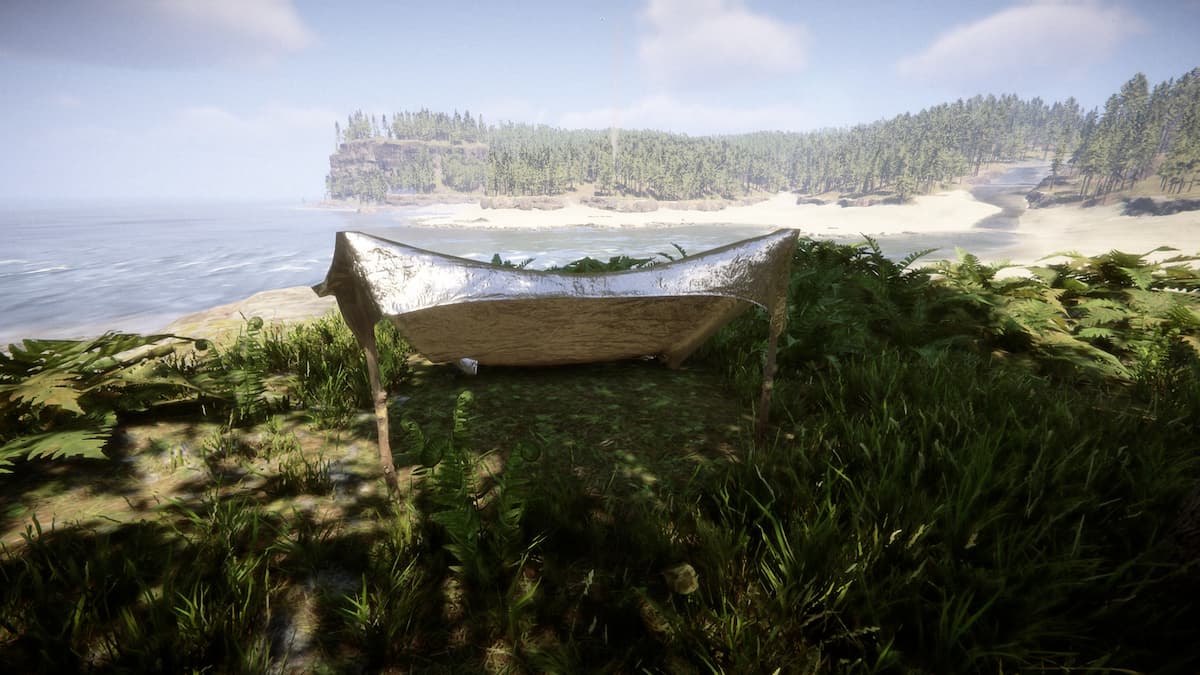
To save your Sons of the Forest progress, you need to build or find a shelter. For the most basic tent, you need a tarp and a stick. You can find a tarp in one of the cargo containers at the crash site or in multiple camps around the island, and sticks can be found on the ground on the beach or in the woods.
Place the tarp on the ground, and interact with one of the corners to prop it up. Or you can ask Kelvin to set it up, and he’ll have it done in just a few seconds. You can also look for tents on the island. Those allow you to save the game and sleep through the night as well.

If you decide to build something larger, like a lodge, you’ll also need a bed. The basic stick bed is on the seventh page of the Furniture category in the handbook (left mode). It requires 16 sticks and one duct tape. Place the blueprint inside the house and complete it.
When the shelter is complete, you’ll see two icons next to it. Once is to save the game, and the other is to sleep. Hold the save button to open the save menu, select a save slot, and confirm it.
Despite both requiring a shelter, sleeping doesn’t automatically save the game, as you can get attacked during the night.
How saving works in Sons of the Forest multiplayer

In multiplayer, every player needs to save the game to keep their inventory. The host saves the world, which includes enemies, NPCs, structures, and more. As a good rule of thumb, ensure every player saves whenever you go to bed and do one more round of saves when finishing a session.