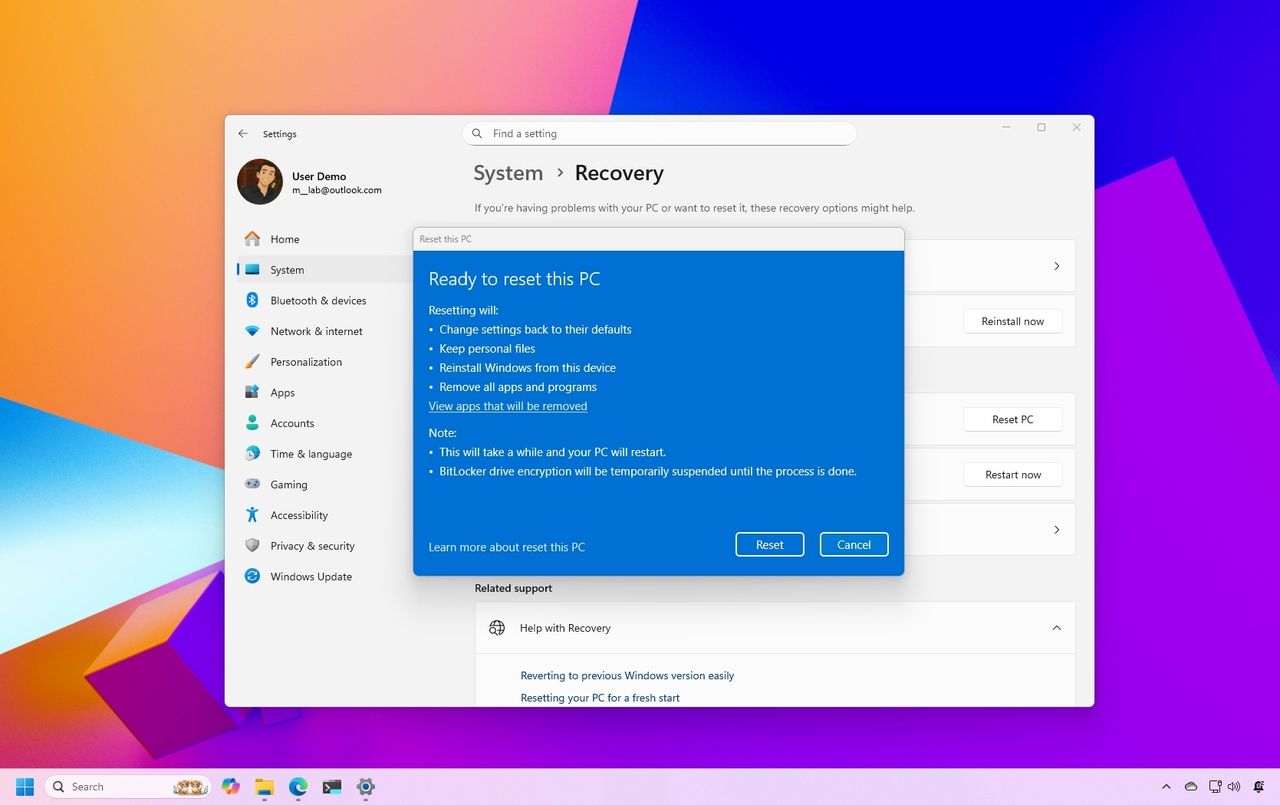
On Windows 11, if you have had the same setup for a long time or you're experiencing issues like slow performance, battery drain, system crashes, or stubborn malware, the "Reset this PC" feature offers a quick way to fix most problems. This recovery feature allows you to reinstall Windows 11 using a clean system image, either by keeping your files or removing everything to start fresh.
You can choose to restore the system to its factory settings while retaining your personal files and settings, or wipe everything to resolve persistent issues. The feature also gives you the flexibility to use a clean operating system image instead of a manufacturer’s recovery image, helping you avoid preinstalled bloatware and custom configurations.