Get all your news in one place.
100's of premium titles.
One app.
Start reading
Windows Central
Windows Central
Technology
Rebecca Spear

How to put Xbox Full Screen Experience on your Windows handheld gaming PC — Legion Go, original ROG Ally, MSI Claw, and more

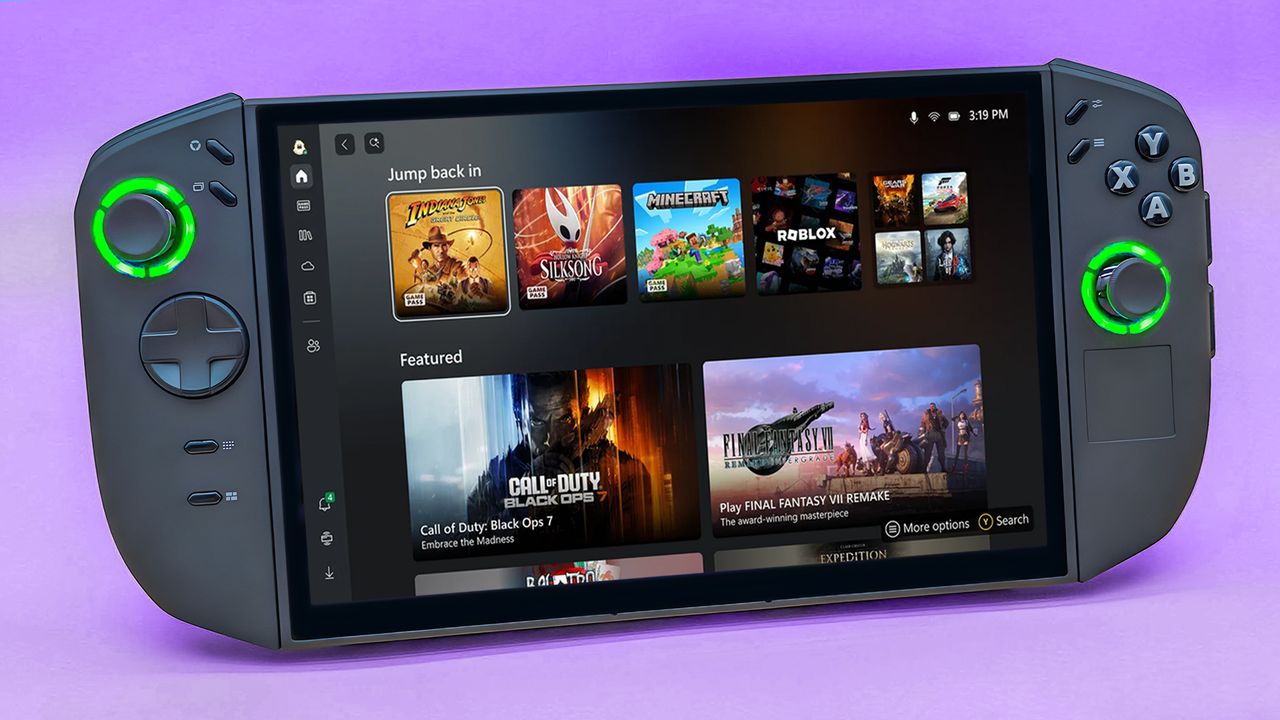
A Legion Go 2 standing up on its kickstand and displaying Xbox Full Screen Experience. .

Now that Xbox Full Screen Experience (Xbox FSE) has started rolling out to all Windows handhelds (and not just Xbox Ally or Xbox Ally X), I was curious to see what the Xbox FSE set up process and user experience would be like on my Legion Go 2.

Unfortunately, I discovered that Xbox FSE hasn't rolled out to my Legion Go 2 yet, but I was able to set it up on my original ROG Ally and ROG Ally X. Still, there is an alternative if you want to check out Xbox FSE on your Legion Go device or any others it hasn't rolled out to yet.

Sign up to read this article
Read news from 100's of titles, curated specifically for you.
Already a member? Sign in here
Related Stories
Top stories on inkl right now
One subscription that gives you access to news from hundreds of sites
Already a member? Sign in here
Our Picks
Fourteen days free
Download the app
One app. One membership.
100+ trusted global sources.