Get all your news in one place.
100’s of premium titles.
One app.
Start reading
Android Central
Android Central
Technology
Brady Snyder

How to optimize charging on a Google Pixel

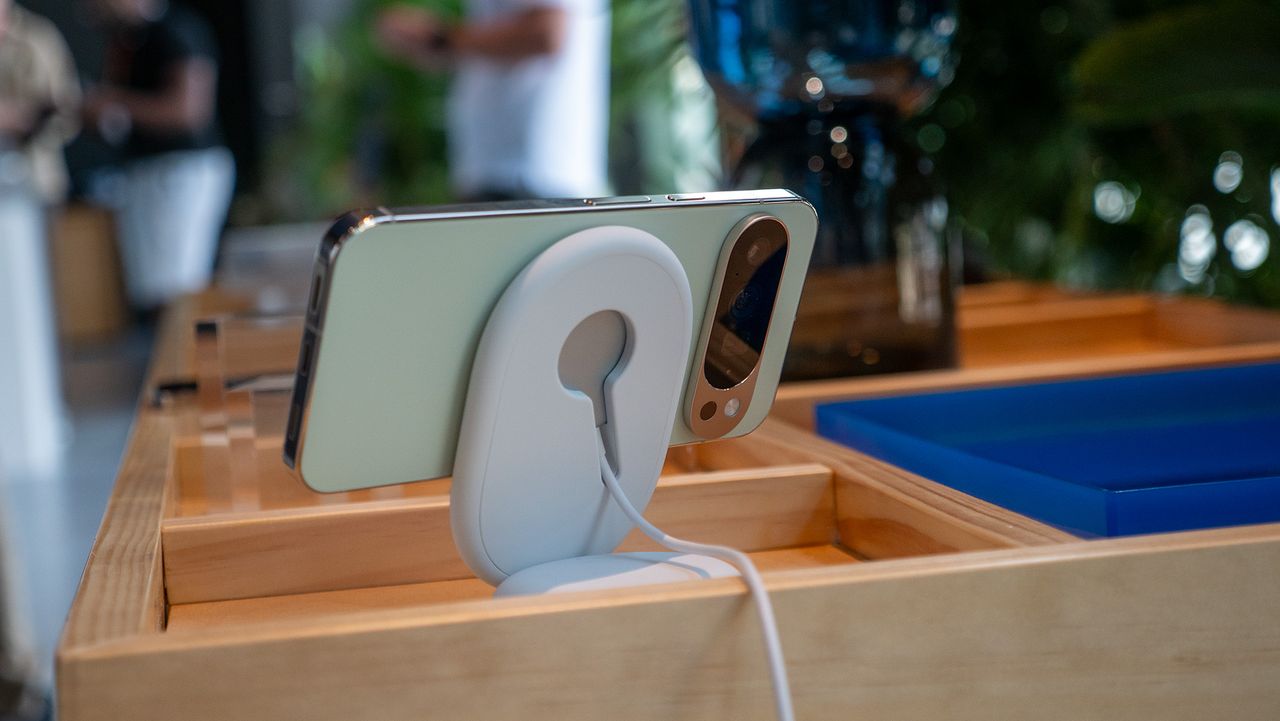
The official Google Pixelsnap Qi2 wireless charger and dock for the Google Pixel 10 series.

Your phone's battery is rechargeable and guaranteed to degrade over time. All batteries are consumable components that, with enough use and charge cycles, will wear down and need replacing. However, there are steps you can take to prolong the battery health of your smartphone. Minimizing the amount of time your phone spends fully charged is one way to extend the life of your smartphone's battery.

Google Pixel phones, like many others, have software tricks that can make your battery last longer. That includes optimized battery charging. It's a feature that intelligently learns your charging habits and delays filling your phone up to 100% until you're ready to use it. Here's everything you need to know about optimized battery charging on Google Pixel phones — and how to enable it.

What is optimized charging on Google Pixel?

(Image credit: Nicholas Sutrich / Android Central)

Google's optimized battery charging feature for Pixels offers two ways to avoid your phone sitting at maximum capacity for too long. One option is Adaptive Charging, which avoids charging your Pixel to full capacity until you're ready to use it. The other is Limit to 80%, which imposes a hard cap on your phone's capacity, meaning it will rarely charge your Pixel beyond 80% unless you disable it.

Adaptive Charging learns your charging habits over a two-week period. For example, if you typically plug in your phone overnight and remove it from the charger at 8 a.m., your Pixel may wait until right before 8 a.m. to finish charging. This avoids your phone remaining at a high state of charge for hours while you sleep, which can be strenuous on the battery.

This mode displays a notification on your phone's lock screen showing the estimated time your battery will be fully charged. When your charging habits change, like while taking a vacation, Adaptive Charging will know. Your Pixel might not turn on Adaptive Charging in these scenarios, so that your phone is fully charged when you need it.

The Charge to 80% mode prevents your Pixel from charging past 80% in most situations. It's the best way to prolong the health of your battery, but it also means sacrificing quite a bit of battery life on a daily basis. Your phone will still charge to 100% every 10th cycle for calibration, so that battery capacity remains accurate.

Adaptive Charging is available on Pixel 4a and later, while Charge to 80% is available on Pixel 6a and later. There is an Adaptive Charging feature for the Pixel 4, but it works differently from the one for newer phones. The Google Pixel 4 version uses an alarm you've set to gauge when you'll wake up rather than learning your charging habits automatically.

How to optimize charging on a Google Pixel

Google Pixel phones can turn on optimized battery charging to avoid wearing down their battery too quickly. Here's how to enable the feature:

1. Open the Settings app on your Google Pixel phone.

2. Scroll down to the Battery tab and tap it.

3. Press the Battery health tab.

4. Tap Charging optimization.

5. Flip the toggle beside Use charging optimization, and select either Adaptive charging or Limit to 80%.

(Image credit: Future)

Now, your Google Pixel will either delay charging to 100% based on your habits or set a fixed 80% charge limit, depending on your selection.

Should you enable optimized charging on Google Pixel?

(Image credit: Nicholas Sutrich / Android Central)

Battery degradation is a common worry among smartphone users. As your phone gets older, it will inevitably lose capacity and consistency, leading to worse performance and shorter battery life. However, turning on optimized battery charging features isn't always an easy choice to make. Some users worry about voluntarily giving up battery life, which could come back to haunt them if they end up needing it.

For most users, Adaptive Charging is worth enabling. There's virtually no downside — your Google Pixel will still be charged and ready to go when you wake up, it'll just delay the final charging session while you sleep. There is a small chance that, when you change up your sleeping habits, your phone might not be fully charged when you expect it. With real-time charging notifications, though, your phone will always tell you when it expects to finish charging.

The hard 80% charging limit is a tougher sell. This is because you're essentially giving up 20% of your battery capacity now for the possibility of prolonged battery health in the future. It's a good option for people who never drain their battery fully. For everyone else, it's best to stick with Adaptive Charging.

Sign up to read this article
Read news from 100’s of titles, curated specifically for you.
Already a member? Sign in here
Related Stories
Top stories on inkl right now
One subscription that gives you access to news from hundreds of sites
Already a member? Sign in here
Our Picks
Fourteen days free
Download the app
One app. One membership.
100+ trusted global sources.