Get all your news in one place.
100's of premium titles.
One app.
Start reading
Windows Central
Windows Central
Technology
Richard Devine

How to install and use Ollama to run AI LLMs locally on your Windows 11 PC

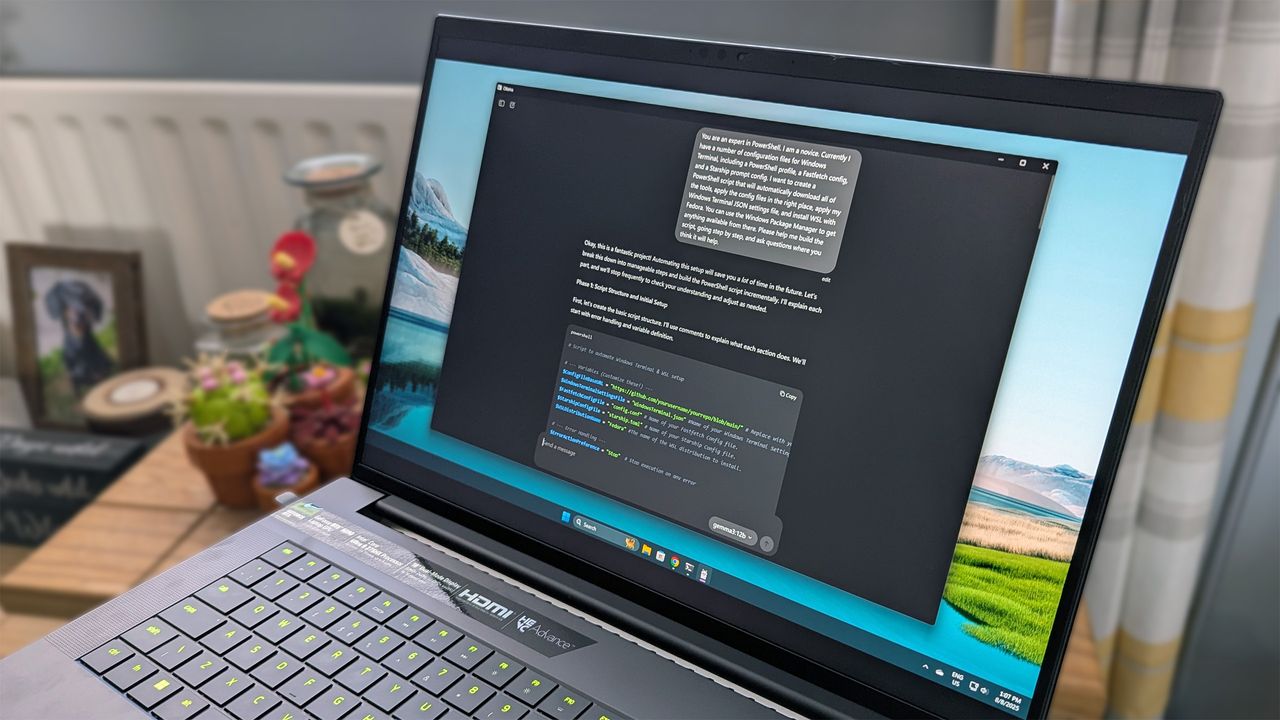
Ollama running the Gemma3:12b model on a Razer Blade 18. .

The most common interactions most of us will have with AI right now is through a cloud-based tool such as ChatGPT or Copilot. Those tools require a connection to the internet to use, but the trade-off there is that they're usable on basically any device.

But not everyone wants to rely on the cloud for their AI use, especially developers. For that, you want the LLM to be running locally on your machine. Which is where Ollama comes in.

Sign up to read this article
Read news from 100's of titles, curated specifically for you.
Already a member? Sign in here
Related Stories
Top stories on inkl right now
One subscription that gives you access to news from hundreds of sites
Already a member? Sign in here
Our Picks
Fourteen days free
Download the app
One app. One membership.
100+ trusted global sources.