Get all your news in one place.
100's of premium titles.
One app.
Start reading
Windows Central
Windows Central
Technology
Mauro Huculak

How to fix a second monitor not detected in Windows 10 and 11

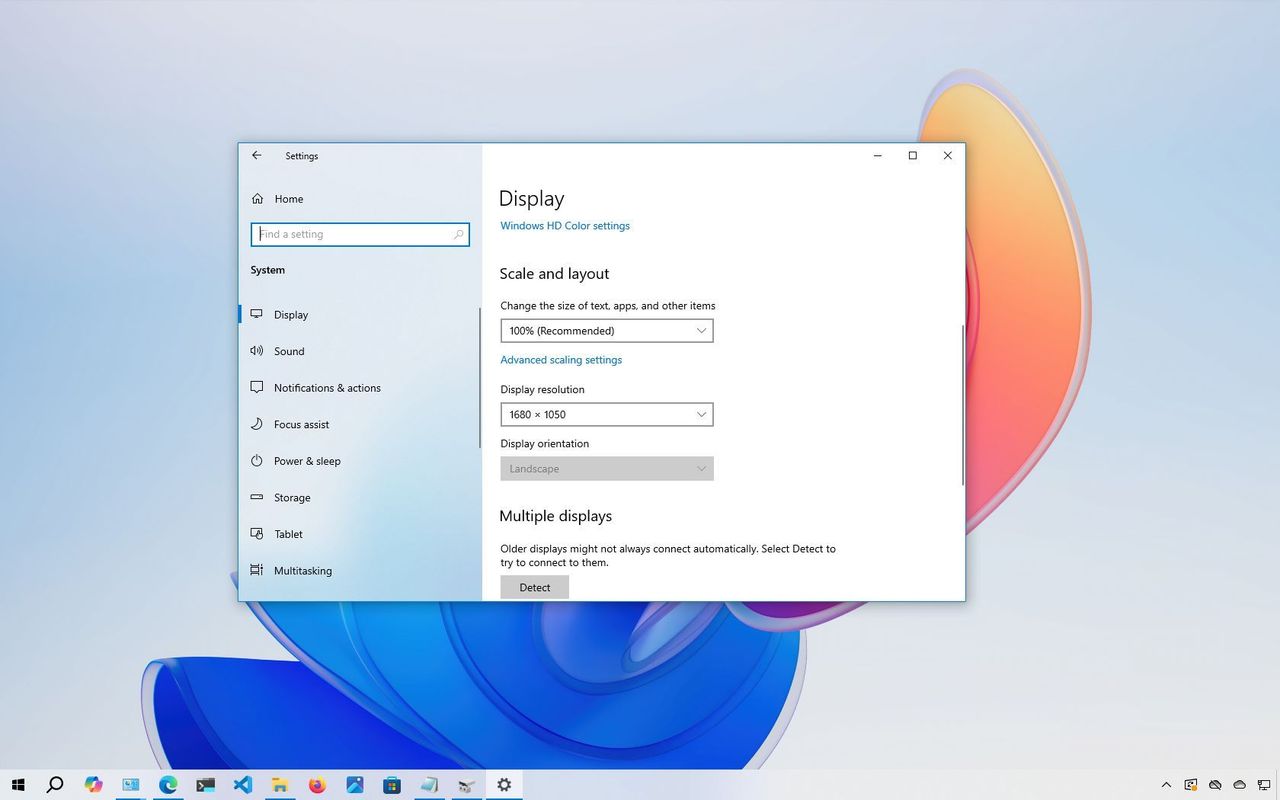
Windows 10 second monitor detect settings.

On Windows 10 and Windows 11, connecting a second display allows you to expand your desktop and work with multiple apps, as well as play games, on your laptop or desktop computer.

Although setting up an external monitor is usually straightforward, the operating system may sometimes fail to detect older displays or second monitors due to driver or hardware-related issues. However, if your device has a problem, you can use several troubleshooting steps, including checking the connection and installing the correct drivers, to fix the issue quickly.
Sign up to read this article
Read news from 100's of titles, curated specifically for you.
Already a member? Sign in here
Related Stories
Top stories on inkl right now
One subscription that gives you access to news from hundreds of sites
Already a member? Sign in here
Our Picks
Fourteen days free
Download the app
One app. One membership.
100+ trusted global sources.