Get all your news in one place.
100’s of premium titles.
One app.
Start reading
Dot Esports
Dot Esports
Edward Strazd

How to complete the Lockdown event in Marathon

Every zone in Marathon has events, secrets, and mechanics that net you better loot than usual crates. If you’re exploring Dire Marsh, you have probably encountered a Lockdown event that renders one of the areas on the map inaccessible.

However, in that area, there’s more loot to be found, so here’s a breakdown of the Lockdown event in Marathon.

How to do the Lockdown event in Marathon

Marathon Lockdown event blue marker
Markers show the way. Screenshot by Dot Esports

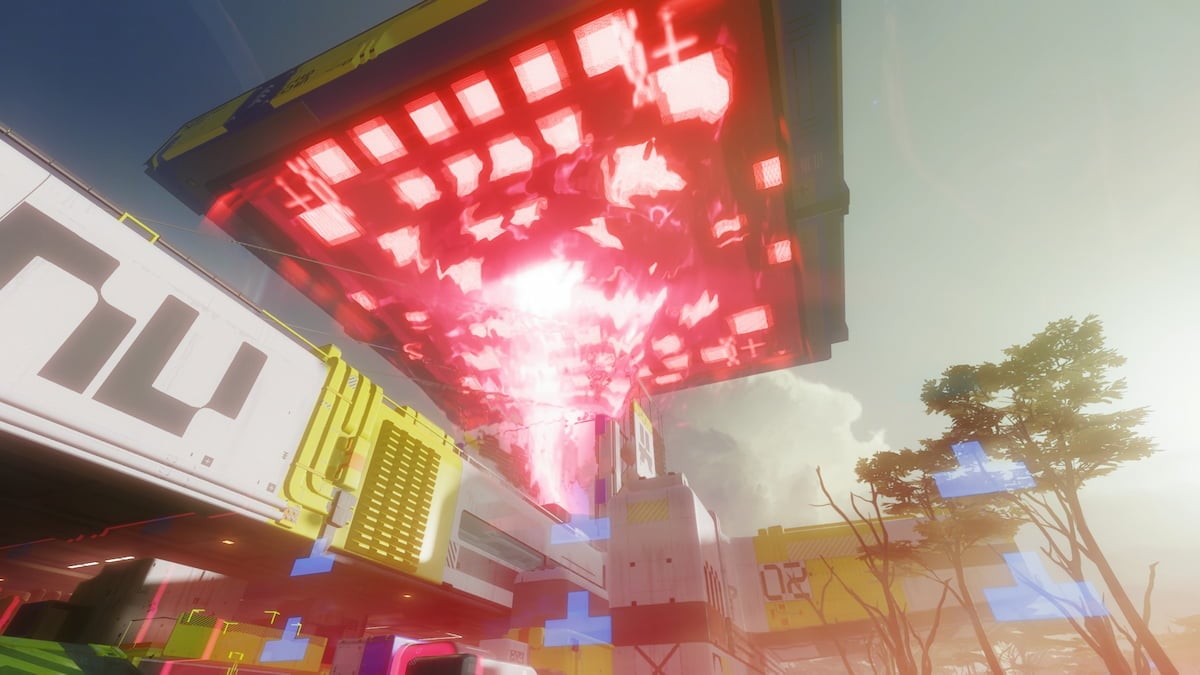
The Lockdown event is exclusive to Dire Marsh and appears sometime between 10-15 minutes remaining in the run. When Lockdown happens, a giant UESC ship flies down and locks down one of the POIs on the map.

Entering the restricted zone deals continuous damage. To avoid the damage and complete the event, you need an Anti-Virus Pack (ideally, two or three of them). Using the Anti-Virus Pack grants an additional bar above the shield that protects you against data corruption for around a minute and a half.

Once you have the Anti-Virus Pack and the Lockdown event started, here’s how to complete it:

  1. Use the Anti-Virus Pack.
  2. Enter the Lockdown zone and look for the blue marker to get the Data Corruption Access key.
  3. Find the blue beacon in the Lockdown area. This is the Lockdown chest.
  4. Take the Data Corruption Access key to the hand scanner next to the chest.
  5. Pick up the Lockdown Drive in front of the chest.
  6. Insert the Lockdown Drive into the chest.
  7. Fight off three waves of UESC.
  8. Grab the loot and the Lockdown Drive for the next zone from the chest.
  9. Rinse and repeat up to three times.

The Data Corruption Access key removes the damaging field, and technically, you can ignore it if you have enough Anti-Virus Packs and a fully geared team to speedrun the waves. There are purple-shielded UESC units in these waves, so make sure you come prepared.

Lockdown event chest in Marathon
Follow the light. Screenshot by Dot Esports

After completing the first Lockdown event, the second UESC ship will appear over another POI. You can repeat it up to three times, with every chest offering better loot. For the second and third runs, you need to bring the Lockdown Drive from the previous chest, as there isn’t one lying on the ground.

Don’t lose the Lockdown Drive – without it, you can’t do the event. At the same time, if someone decides to steal the Lockdown Drive from the first zone, you also won’t be able to complete the event.


Sign up to read this article
Read news from 100’s of titles, curated specifically for you.
Already a member? Sign in here
Related Stories
Top stories on inkl right now
One subscription that gives you access to news from hundreds of sites
Already a member? Sign in here
Our Picks
Fourteen days free
Download the app
One app. One membership.
100+ trusted global sources.