
Get all your news in one place.
100's of premium titles.
One app.
Start reading
Creative Bloq
Creative Bloq
Technology
Darek Zabrocki

How I blend 3D and 3D effects to create video game key art art using Blender and Photoshop

Digital art that blends 2D and 3D effects.

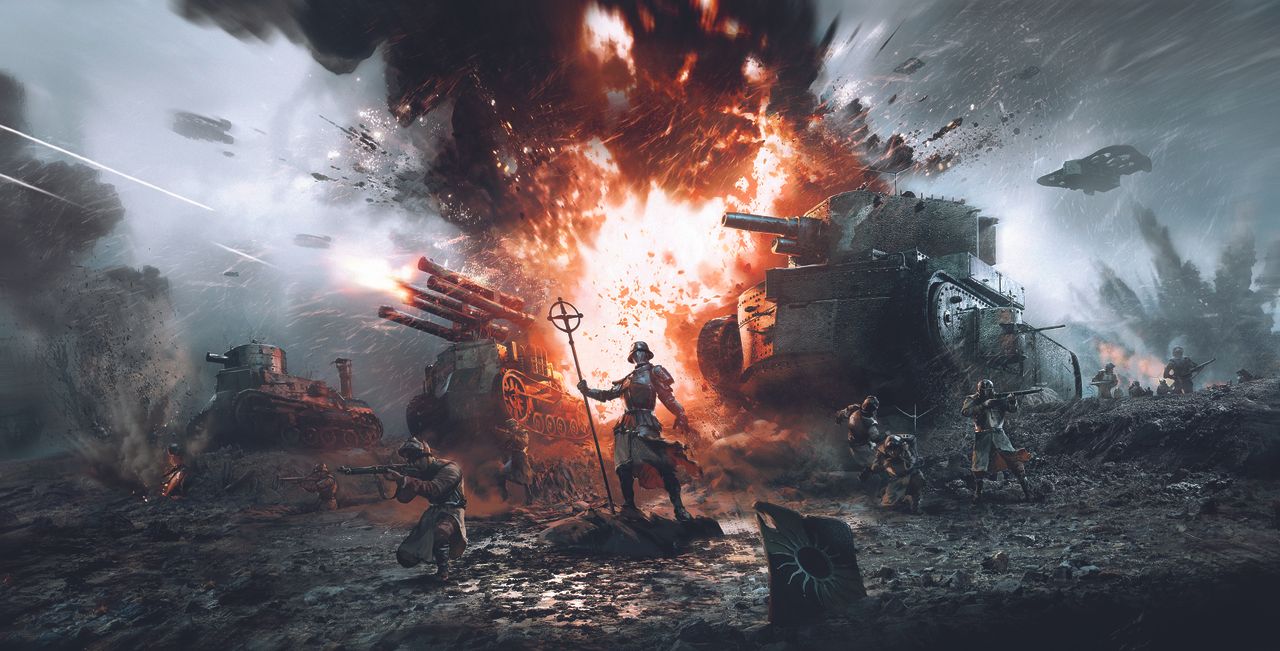
This is a piece of key art I created back in early 2025 for the game Veil of Ashes by Greifenmaer Games Studio. Veil of Ashes is a real-time tactics game set in a dark steampunk universe, focused on tanks and infantry skirmishes.

I was excited when they reached out to me as I enjoy blending history with fictional battlefields. Creating an epic piece of key art that reflects the nature of the game was both a rewarding and challenging task. The team had a general vision and fully trusted my skills and design sense to craft a striking image.

Below, I'll explain how I approached the task. If you need the tools for your own digital art, see our guides to the best digital art software and the best drawing tablets.

Layering and composition

I started in 3D since I was provided with some 3D hero assets for the main tanks and aircraft. The team at Greifenmaer also sent their initial in-game layouts to help kick off the creative brief.

I quickly moved on to blocking out the full scene in Blender, building the environment and placing basic rigged soldiers.

Translating 2D knowledge into 3D

I had to plan all VFX effects and post-production from the start. Blender’s Compositor lets me control and tweak colour balance, exposure, lens effects, etc.

For most of the additional VFX, I used 2D image planes either with emission (explosions) or alpha planes (dust, particles). This saved a lot of resources.

Final steps

I could then render high-resolution passes in Blender and polish the image in Photoshop. I was given the creative freedom to introduce some 2D touches, like brushstrokes along the edges and subtle painterly effects to soften parts of the ‘fake’ 3D look.

This article originally appeared in ImagineFX. Subscribe to ImagineFX to never miss an issue. Print and digital subscriptions are available.

Creative Bloq is now easier to access than ever before with our on-the-go app, which brings you all the content you know and love from our website, but in a super-streamlined design.
Download the Creative Bloq app for iOS
Download the Creative Bloq app for Android

Upgrade your digital art tools

Inspired to work on your own digital art? See below for deals on recommended drawing tablets that we've reviewed.

Wacom Movinkpad 11 XP-Pen Artist 15.6 Pro XP-Pen Updated Deco 01 V3 HUION Inspiroy H640p
Sign up to read this article
Read news from 100's of titles, curated specifically for you.
Already a member? Sign in here
Related Stories
Top stories on inkl right now
One subscription that gives you access to news from hundreds of sites
Already a member? Sign in here
Our Picks
Fourteen days free
Download the app
One app. One membership.
100+ trusted global sources.