In today’s market, it might seem like building a digital presence mostly needs to be done via social media – but there’s still a strong case for having a consistent online base to call home. That’s why using web hosting services for your business or personal project continues to reign supreme. Hostinger is a big name in that arena and I’ve found it to be one of the best web hosting services around.
Established in 2004, the Lithuanian-based company offers many data centres across 11 countries so it should suit all your geographical needs. I’ve spent several years testing and using web hosting services, in a professional capacity and when pursuing personal projects. Hostinger remains one of my favourites.

It scales well for many different needs, from creating a simple website to email hosting or having a Wordpress blog. There are also extensive ways to develop more advanced plans such as setting up a VPS, game server, or having your own n8n workflows in a self-hosted capacity.
While Hostinger is a strong option, there is plenty of competition out there with the likes of GoDaddy, Cloudways and Bluehost appealing to users, too. That’s why I’ve taken the time to conduct a deep dive into why Hostinger is worth your time and money.
Hostinger is one of the best web hosting services you can use in 2026. It’s easy to use even if you don’t have any experience with launching a website, and there are some very affordable pricing plans. Your website will load quickly and have fantastic uptime. Plus, its more advanced features mean use of this web hosting service can grow with your ambition. Below, I’ve outlined all you need to know about Hostinger.
How I tested

To review Hostinger appropriately, I evaluated its plans before signing up to its Premium hosting option. I then spent extensive time using the service, setting up a website, and investigating how well the web hosting provider works for general use. I also looked at pricing and customer support, including how quickly I received a response to any queries. You can see my full testing criteria at the end of this article.
Read more: Best web hosting services, tried and tested by an expert
Hostinger web hosting

Server locations: 11
Uptime: 99.9 per cent
Control panel: Custom hPanel
Hosting types: Shared, WordPress, Cloud, VPS
Money-back guarantee: 30 days
Support: Knowledge base, tickets, live chat, email
Why we love it
- Excellent control panel
- Easy to use
- AI features are actually useful
- Reliable uptime
Take note
- Can be more than you need
- No telephone support
Hostinger pricing and plans
At a glance, Hostinger isn’t the cheapest web hosting company out there, but it’s still very affordable. I say at a glance, because it’s more expensive than Ionos’s comparable plans but cheaper than Bluehost in many instances. It also gets complicated as it’s tricky to do like-for-like comparisons as each host offers slightly different plans, such as more storage or an email address.
However, if you look at Hostinger’s core plans, they’re well priced. For £2 a month for two years (taken in one bulk payment of £95), you get 20GB of SSD storage, two mailboxes and a free domain, along with more obvious web hosting essentials like SSL, weekly backups, and a website builder. For £3 per month (working out as £143 for two years), you get 50GB of faster NVMe storage, five mailboxes and more regular backups, among other things.
In each case, prices fluctuate depending on promotions and how long you commit to. The best deals come from committing to four years, while there are still good discounts for two years or even just a year. Just make sure to cancel in advance if you wish to do so, as the price goes up steeply come renewal time.
There’s also the option to pay an extra £2 a month to get Hostinger Reach – the company’s AI-powered email marketing service. It sends emails based on a single prompt, with the potential to reach 500 unique subscribers per month for the most basic package.

Hostinger Premium
At the time of writing, Hostinger Premium is the cheapest option and costs £95.52 for four years (the equivalent of £1.99 per month). It allows you to create up to three websites, provides 20GB of SSD storage, and offers two mailboxes per website for free for one year.
You also get a free domain for one year, free SSL, weekly auto backups, migration for free, free email marketing for one year, and access to Hostinger’s AI website builder.
Hostinger Business
Hostinger Business is the mid-range option. It provides 50GB of faster NVMe storage and the ability to create up to 50 websites. It also includes five mailboxes per website for free for one year, and five managed Node.js web apps.
There’s everything Premium has to offer along with daily and on-demand backups, AI ecommerce site-building capabilities, and free CDN. For WordPress blogs, you can create one within minutes using AI and you can manage multiple WordPress sites more easily. It costs £2.99 per month, which works out at £143.52 up front for four years.
Hostinger Cloud Startup
Cloud Startup is the business-focused plan and costs £335.52 up front for four years at the time of writing. It works out at £6.99 per month. Everything is bigger here. You can create up to 100 websites via your 100GB of NVMe storage, you get 10 mailboxes per website free for a year, and you can deploy up to 10 managed Node.js web apps.
You get everything the above two plans include but you also gain 100 PHP workers for your busy sites, 2M inodes to scale your files, 4GB RAM for smoother performance, a dedicated IP address, and priority expert support.
Hostinger features
Hostinger is a web hosting service for everyone. That means it can be as advanced and complex as you want it to be, but it’s also very beginner friendly. I signed up for the Business package – the mid-range option that means you can create up to 50 websites and you have 50GB of NVMe storage. Setup is very simple. There are early options for whether you’re migrating your website from another host, hiring someone to help with the site, or creating the website for yourself.
Hit the latter option and there’s a wealth of ways to create your site, each covering different ability levels. There’s the traditional option of uploading your own code or choosing to deploy a Node.js web app to do all the work for you. For a quicker solution, options include setting up a WordPress-based site, using Hostinger’s website builder. Or, there’s Hostinger Horizons – a full AI solution which uses prompts to create your vision. The Business plan also includes a free domain for one year. The only tricky part here is figuring out what your domain name should be, otherwise it takes moments to do.
If you’ve used WordPress before in any capacity, you’ll know the layout here. It takes a few minutes to install, then you can either use AI to build a template based on what you envisage or you can pick from many pre-built website templates. There are options for blogs, landing pages, ecommerce, and anything else you can think of. It’s also smart enough to suggest plugins that would work for your aims such as ecommerce-related ones for a shop. It’s all neatly effortless, so you don’t have to spend hours working on getting something simple set up.
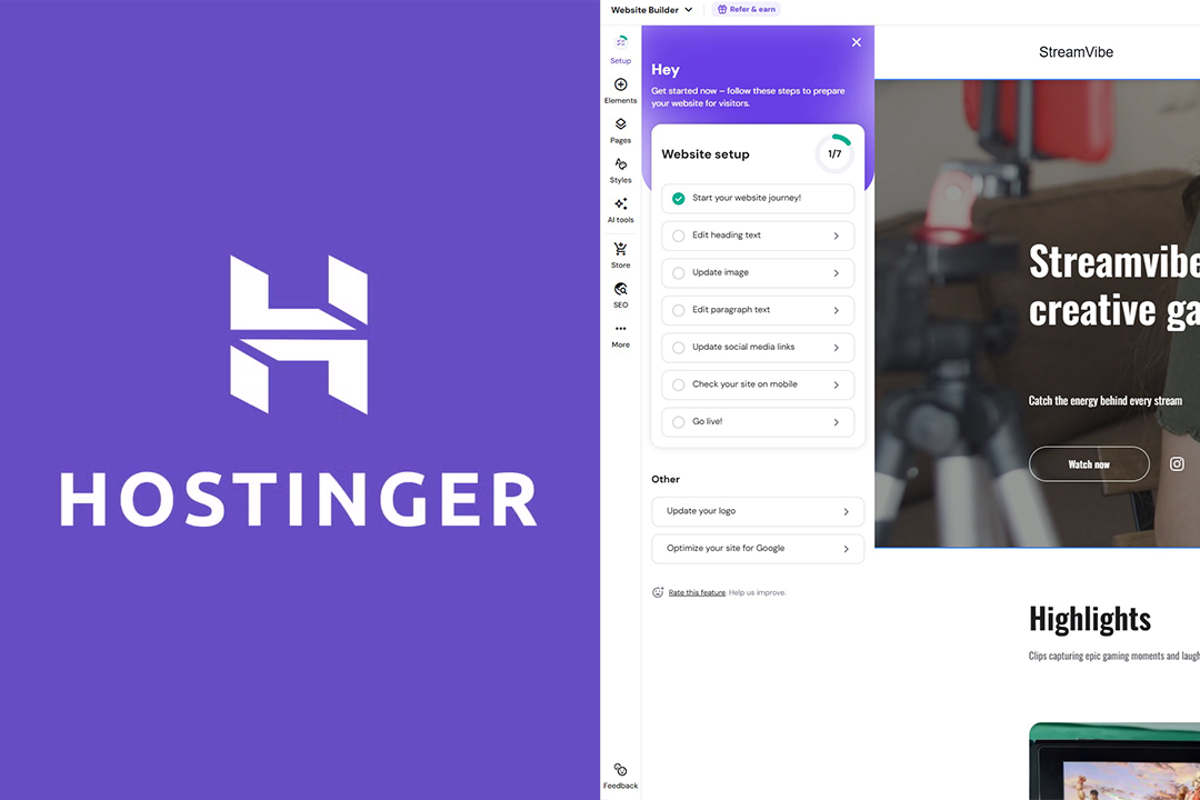
It’s a similar story with the website builder which uses AI to create a basic structure before giving you the chance to edit all the text, images, and get things how you want them to look. In both cases, a checklist of suggestions means you won’t miss anything. That goes so far as suggesting SEO (search engine optimisation) tweaks to help your discoverability on Google and other search engines. It’s ideal if you have a vision but you need some guidance.
For the ultimate AI-supported solution, there’s Hostinger Horizons. It’s a lot like the website builder but it’s even more AI focused. It’s as simple to use as asking ChatGPT for advice. Just give it a prompt then it asks more questions, eventually leading to a website that should look how you want it to. Does it look as unique as one built by hand or by a professional? No, but it’s a good beginner-friendly avenue if you’d rather do it yourself. There are a lot of customisation options, so you can make the resulting website your own.
Those are the core features of the Hostinger experience, but the dashboard offers a lot more. You can easily migrate a website across to Hostinger. This usually takes about 30 minutes, with Hostinger doing all the hard work for you. It’s also possible to maintain a domain portfolio if you wish to own and manage multiple domains, such as for protecting your brand name.
There’s a free email service with 1GB storage per mailbox, one forwarding rule, and one email alias. For AI tools, encrypted storage, more storage per mailbox, and many other additions, you can pay the equivalent of 35p per month (about £16.80 for four years) to upgrade the service.
For email marketing opportunities, there’s Hostinger Reach which can launch AI email marketing campaigns in minutes. A basic version of this is included in the Business plan so you can send 200 emails per month to 100 subscribers. For £1.99 per month, you can send to 500 subscribers and up to 3500 emails per month.
Whatever you’re doing on Hostinger, in the bottom right hand corner is Kodee – the site’s AI assistant. Generally, it’s pretty helpful. It may take a moment or two to answer depending on the complexity of your question, but it’s accurate and useful.
Other Hostinger services
Hostinger is far more than just a web hosting service. I’ve used its VPS hosting extensively in the past to set up a game server and generally dabble in some server-related experiments. That same VPS can be used to self-host n8n, a no-code AI workflow service which has grown a lot in popularity in recent times. It’s ideal if you want to connect all your apps and data in one platform without the need for programming experience. It might just save you some time.
Plus, there’s OpenClaw support, which is a personal AI assistant so you can automate tasks between all your other favourite apps. Like n8n, it can really make your life easier. For those who love to tinker, it’s also fun to experiment with.
If you don’t need full web hosting you can use Hostinger’s managed hosting for WordPress, while there’s a similar service for ecommerce sites and WooCommerce. For another option, cloud hosting is useful if you require hosting with a dedicated IP address and priority expert support, with agencies able to sign up to pro web hosting for an additional fee.
While Hostinger offers a lot of services, at heart, it’s a matter of picking either a VPS or web hosting. Alternatively, you can always sign up for both and maintain them through the same dashboard. It’s a fairly seamless experience and one that certainly endears me to long-time use.

Hostinger performance
Using Hostinger is speedy. I found switching between different parts of the site was effortless and without any issue. The most important speed needs to come from how quickly your site responds to other people browsing though. Fortunately, it’s all good here too. When setting up a website, Hostinger asks where you want the website to be hosted. Crucially, it explains that you should pick the location where the majority of your readers reside. It’s little things like that which help you set things up in the best way possible.
Once your website is set up, you can go to the dashboard and run a speed test via Google’s PageSpeed Insight which breaks things down according to desktop viewing and mobile viewing. Website performance can make all the difference to how successful your site is, so it’s refreshing how easy it is to check here.
Hostinger support
The first port of call for support with Hostinger is to ask Kodee, the AI assistant. Kodee does a good job of answering the majority of queries accurately. I found it fast and responsive and most importantly, actually helpful. Hostinger also simplifies certain support issues by providing important updates via WhatsApp, which is particularly useful for time-sensitive issues. By adding your phone number, you can even ask Kodee for help via WhatsApp which could be useful in certain scenarios.
Elsewhere, Hostinger has a very extensive knowledge base which should solve most issues. There are text- and video-based tutorials available, in addition to step-by-step guides. Unusually, there’s no telephone support with Hostinger following the line of chat support being more efficient and helpful. Admittedly, I didn’t particularly miss it but that’s going to come down to how you prefer to communicate.
There are, at least, dedicated methods for recovering your account or reporting any security issues, spam, or phishing attempts. Otherwise, Hostinger funnels you towards Kodee for any queries. If you tell it to ‘talk to a human’, you get to chat with an actual person. That person gets to see your previous chat history with Kodee so you won’t have to repeat yourself. I didn’t find a situation where I needed to talk to anything other than Kodee, which is praise indeed.
Buy now £3, Hostinger.com
The verdict: Hostinger web hosting
Hostinger is an excellent web hosting service. It’s simple to use if you haven’t set up a website before – but if you know what you’re doing, you have all the power and options you could need. It’s refreshing to be able to set up a site within a few minutes to start with, then gradually build up your knowledge and develop the site further.
Hostinger’s extensive knowledge base helps, along with Kodee being a genuinely helpful AI assistant. Fast speeds and a host of other useful features as you expand all lead to an experience that will make you keen to commit to two years and beyond with this service. That goes even further if your plans are more ambitious and you start considering signing up for a VPS. I found I could host my website through one part of the dashboard while creating a Minecraft server on my VPS. It’s all neatly tied together, simplifying the process.
How I tested Hostinger web hosting
On this occasion, I used Hostinger’s web hosting service for 10 days. I’ve previously used Hostinger for many months over the years. I looked at these key factors:
Why you can trust our reviews
Jennifer Allen is an expert in tech and websites, and writes gaming and console reviews for IndyBest. During her testing process, Jennifer evaluated everything from website design and AI features to ease of use and value for money.