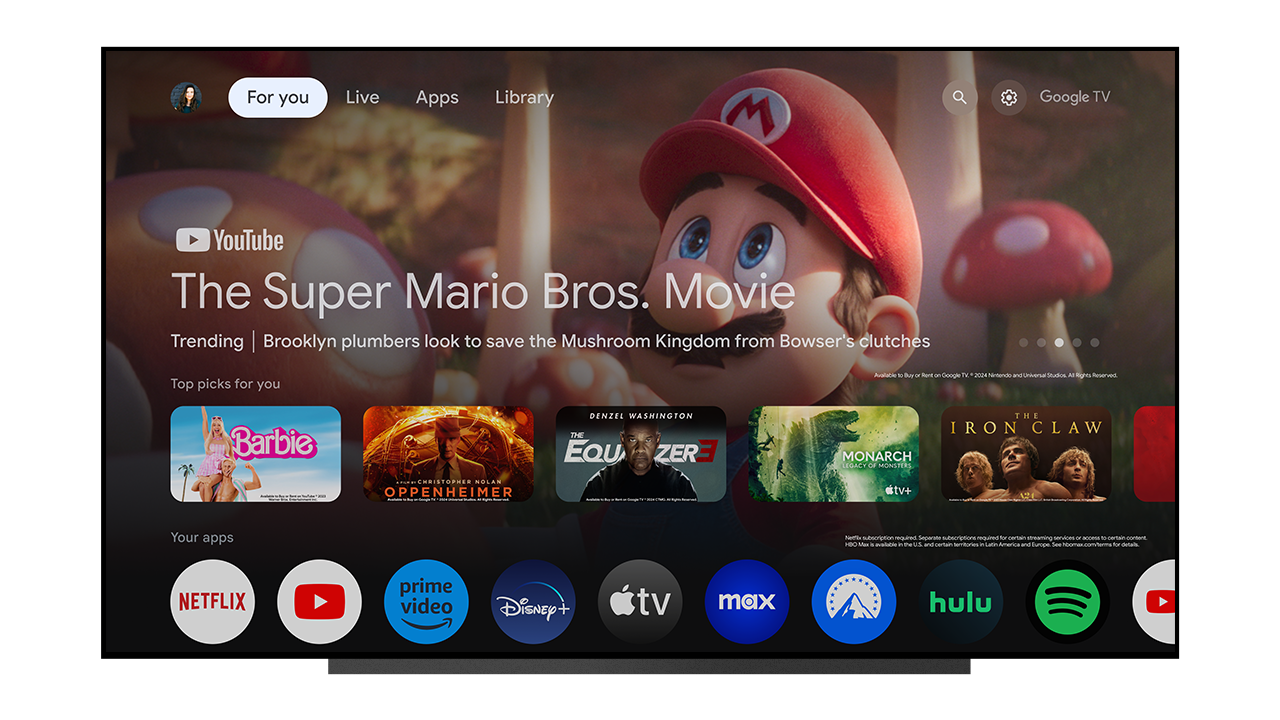
Google has rolled out the latest version of its TV operating system with a modest visual overhaul coming to the apps section. It's by no means a life-changing development, but it does look nice, and Google has even added a new customisation feature.
So what's new? Well, rectangles are out and circles are in, at least in the apps section of the user interface. You'll find round icons in a neat row underneath the 'top picks' row, and the change to circles is more than just a visual upgrade. It has actually allowed Google to fit more apps on one page, without the need to scroll through to find your streaming service or application of choice.