Get all your news in one place.
100's of premium titles.
One app.
Start reading
Android Central
Android Central
Technology
Nickolas Diaz

Google opens the Fitbit Air to creativity: now you can make your own bands

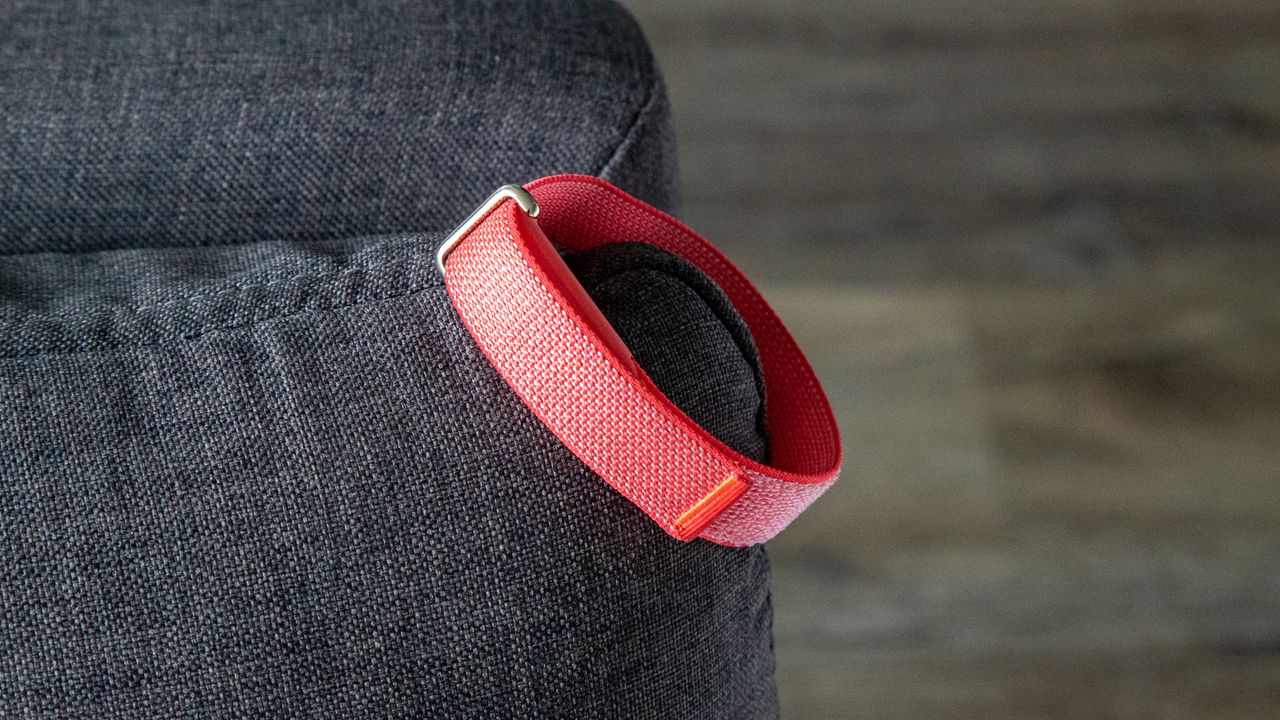
The Fitbit Air on the corner of a couch.

What you need to know

  • Google announced that it's providing the official design guidelines for the Fitbit Air to the public for independent designers.
  • The company has offered a few rules, such as encouraging designers to use gentle materials to avoid skin irritation.
  • The Fitbit Air launced a week ago for $99 with continuous 24/7 heart rate and blood-oxygen tracking.

Google's take on the classic screenless Whoop-style fitness band is barely a week old, and the company's already taking major strides toward consumer creativity.

Google announced to its Health community that it's giving users and other companies the tools to create their own Fitbit Air bands and accessories. Beginning this week, "independent designers and artisan makers" can check Google's official Fitbit Air specs to start crafting. These design guidelines are available to the public, revealing the necessary dimensions and design blueprints to make everything feel official.

As you'd expect, Google has a few rules before designers start brainstorming. Whatever design is created, it must ensure the Fitbit Air's "optical heart rate and SpO2 sensors on the base of the tracker remain entirely unobstructed and maintain flush, consistent skin contact." What's more, the band should be stable on the wearer's wrist with "gentle pressure" for comfort.

The company also wants any custom-designed bands to utilize gentle, high-quality materials to reduce skin irritation. You can check out Google's 2D CAD drawings for a more detailed look. If the company certifies your custom band, it will receive a "Made by Google" badge for promotional purposes.

Start brainstorming

(Image credit: Google)

The Google Fitbit Air launched on May 27, debuting as the company's first screenless, very low-profile fitness tracker. The device features an optical heart rate sensor for continuous 24/7 tracking and the required sensors for SpO2 (blood oxygen) monitoring. The Fitbit Air debuted with a selection of Google-made bands. Consumers could choose between the fabric Performance Loop, silicone Active, or Modern bands. A few colorways include Obsidian, Fog, Lavender, and Berry.

For $99, the Fitbit Air is pretty low-budget and compatible with Android and iOS devices. If you're just getting yours (or thinking about getting one), we've got seven things you absolutely should check out while you're setting things up.

There were some early struggles with Fitbit Air consumers last week. A few consumers online had received theirs earlier than Google expected, and it broke the pairing process. Users couldn't pair the Fitbit Air with their phone since the updated Google Health app wasn't available for their device. Google said it was accelerating its rollout to ensure users don't encounter more problems.

Android Central's Take

This is probably the best place to take the Fitbit Air. Realistically, the device is barebones (but in a good way). On the surface, it has not screen. It's literally all band with the tracking sensors beneath. Opening things up to where designers can create something new and fresh keeps the Fitbit Air feeling special. Now, people can browse for something that speaks to them in a way that Google's offerings don't.

Sign up to read this article
Read news from 100's of titles, curated specifically for you.
Already a member? Sign in here
Related Stories
Top stories on inkl right now
One subscription that gives you access to news from hundreds of sites
Already a member? Sign in here
Our Picks
Fourteen days free
Download the app
One app. One membership.
100+ trusted global sources.