
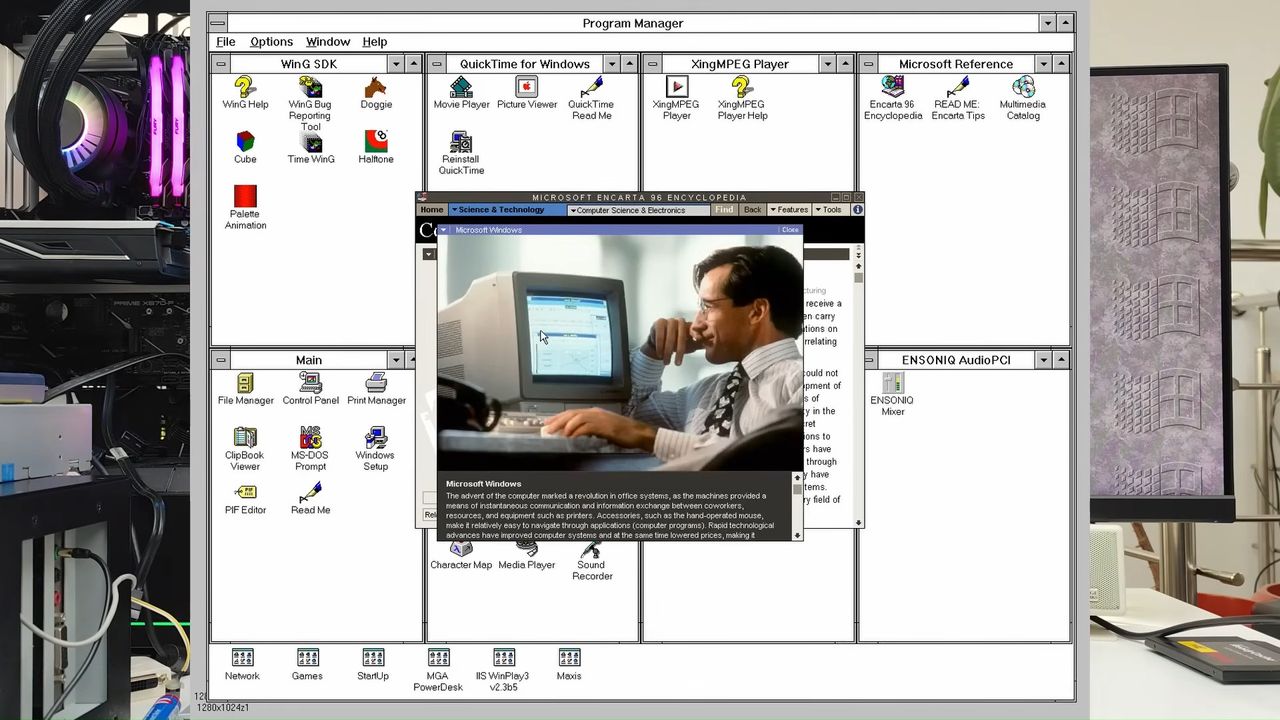
A retro computing connoisseur has installed and booted Microsoft Windows 3.1X on a Ryzen 9 9900X and RTX 5060 Ti PC system. That’s a 1992 OS working on a bare-metal 2024 Zen5 CPU and 2025 Blackwell GPU. The full story contains a few nuances, but basically, a system and OS separated by over 30 years of huge advances kind of play nicely together.
In the video by Omores, above, you can see we start by inspecting a Spanish-language Windows 3.1X backup floppy disk set, which the TechTuber had access to. But there’s some important background to understand, before the first 3.5-inch installer disk starts ticking away in its drive.
A key part of this system, not yet mentioned, is its motherboard. This Asus motherboard’s ‘classic BIOS’ functionality doesn’t get in the way of users tinkering with old OSes like Windows 3.1X when the built-in Compatibility Support Module (CSM) is enabled. Moreover, we noticed Omores initially prepared the system using a Windows 95 boot floppy to create the bootable DOS FAT16 partition necessary for setup.
With that done, the retro enthusiast began the Win3.1X install from his USB-attached floppy. There was no problem using this drive, as it was recognized as Drive A: by the installer, and the 1992 media hadn’t suffered from any kind of deterioration, even hidden bit rot.
The first hurdle shows up after the transition from the DOS prompt to Windows 3.1X startup, as the GUI system crashes straight away. It is explained that this is because there is a clash between the OS’s Enhanced Mode and Omores’ modern hardware.
There is an easy workaround, though, as Win 3.1X could be run in Standard Mode. Intended for pre-i386 systems, Standard Mode is useful for this project due to its greater compatibility. A mode switch was all that was needed to get Win 3.1X up and running on this modern system.
Poking around the freshly booted Win 3.1X UI operating in a rather low resolution, Omores commented that the graphics were a bit “glitchy,” but there are supplementary patches and drivers that can improve it.
Adding the graphics driver VBESVGA from PluMGMK on GitHub made a big difference. The UI was scaled up to the display’s native 1920 x 1080 pixels properly. Moreover, the RTX 5060 Ti graphics card now worked without any irksome issues. The tinkerer had used this driver with previous projects, but sounds surprised by how well the driver has matured. It was previously “picky with Nvidia cards” and slightly glitchy, he comments. The driver has seen 44 releases, observes Omores, but it remains in beta.

With graphics fixed, the TechTuber’s attention switched to trying to get Enhanced Mode working for benefits such as virtual memory and improved multitasking. Omores’ chosen sound card also required Enhanced Mode.
So AHCIFIX.386 (from the same GitHub source as VBESVGA) was also installed. Installation was a simple file copy plus the adding of a line to System.ini. With that done, Omores fits his Ensoniq ES1370 audio PCI card. Though other cards he’s tried have Windows 3.1 drivers, this is the only one the TechTuber knows that works on modern hardware with original drivers and MIDI support. Please note that other brand cards using the same chip aren’t compatible, in the TechTuber’s experience.
If you are interested in following in these retro footsteps, the video description includes a link to a Windows 3.1 update script, which will help you go from floppies to a fully working Enhanced Mode system running on bare metal.