Get all your news in one place.
100's of premium titles.
One app.
Start reading
Tom’s Guide
Tom’s Guide
Technology
Scott Younker

'Dumb,' 'sad' and 'annoying' — Samsung Messages is shutting down and this is the replacement

Samsung Galaxy A56 display.

Samsung Messages will die this summer. The native OneUI texting app has been circling the drain since the Galaxy S21 but Samsung made it official today.

In a new message on the official Messages page, Samsung says the app will be discontinued starting in July 2026. Between now and then, the company is encouraging Galaxy owners to switch over to Google Messages.
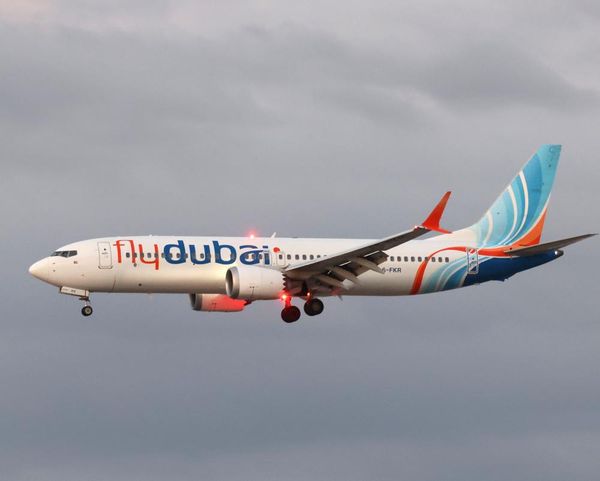
"The Samsung Messages application will be discontinued in July 2026," says Samsung. "Upgrade to Google Messages as your default messaging app today to maintain a consistent messaging experience on Android."

Samsung made Google Messages the default texting app on the Galaxy S21, but its own app has been available in the Galaxy Store or preinstalled. For instance, Google's texting app comes preinstalled on the Galaxy S25 and Galaxy S26 phones.

Mixed reactions

Hundreds of Reddit comments on a post reveal a mixed reaction including people labeling the move "sad" and annoying" and one person saying "this is so dumb."

"Guys, how do i (sic) make Google Message like Samsung Message? I actually like the Samsung Message app," one user posted.

A number of people complained about privacy issues, which seems ironic when they're using a Google phone with Samsung branding.

Anecdotally, my phone is a Galaxy and I stopped using the app on my Galaxy S22 Ultra because Samsung Messages wasn't accepting RCS messages and I was tired of getting "Chuck liked this message" texts when someone reacted to a message. Notably, I switched to the Galaxy S26 Ultra this year and Samsung Messages wasn't even installed.

How to Switch

(Image credit: Tada Images/Shutterstock)

Samsung helpfully provided instructions for how to switch to Google Messages. If you don't have the app already, you may need to download it from the Play Store.

  • Open or download Google Messages. The first time you open the app, a message appears: “To use Messages, make it your default SMS app."
  • Tap the ’Set default SMS app’ button.
  • Select Google Messages. Google Messages is the white icon with the blue conversation bubble.
  • Tap ’Set as default’.

Restrictions and hazards

It should be noted that it appears this is only happening to US users. However, I am seeing comments on Reddit that you won't get RCS chat in places like Europe.

Beyond that, Samsung Messages will work if you're still using older Android 11 or lower versions. Older Tizen OS-based Galaxy watches will be able to text, but you won't have conversation history.

Samsung says that once the app is discontinued, you won't be able to send texts using Samsung Messages "except for emergency service numbres or emergency contacts defined in your device."

The company also notes that older devices released before 2022 may experience RCS disruptions.

Finally, if you have a Galaxy S26 device, you will be prevented from downloading Samsung Messages in the Galaxy Store starting now. Older devices will be blocked in July.


More from Tom's Guide

Sign up to read this article
Read news from 100's of titles, curated specifically for you.
Already a member? Sign in here
Related Stories
Top stories on inkl right now
Our Picks
Fourteen days free
Download the app
One app. One membership.
100+ trusted global sources.