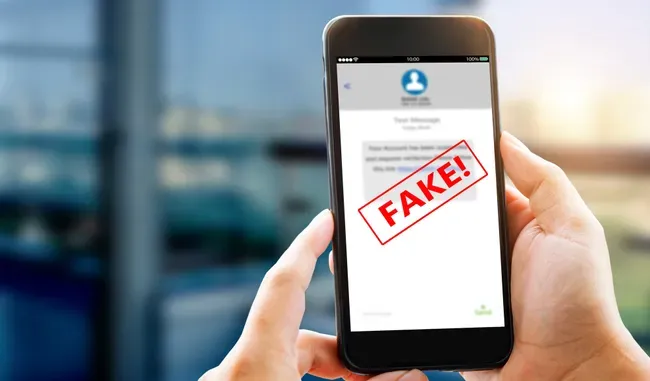
I’m sure you’ve been there: an older family member hands you their phone, points to a sketchy-looking text or email, and asks if it's safe to open.
While AI models are already decent at spotting the urgent, grammatically challenged language that screams "phishing," Anthropic just gave Claude a massive upgrade in the scam-detection department. Through its new "Connectors" feature, Claude now natively integrates the Norton Genie Scam Detector. (ChatGPT users have had access to this via a dedicated GPT app since February, but its arrival on Claude makes cross-platform safety even easier).

Norton Genie allows users to copy and paste suspicious links, upload screenshots of sketchy emails, or even paste entire chat logs from an online marketplace transaction to instantly analyze whether they are on the verge of getting scammed.
If you or your loved ones are ready to put this tool to the test, having a few reliable, go-to prompts on hand can make all the difference. Here are 10 reusable prompts you can share with your family to help them quickly verify whether an incoming message is a genuine threat or a false alarm.
Prompts that protect you from online scams
Accessing the Norton Genie Scam Detector through ChatGPT is as simple as adding it through the “Apps” directory in the chatbot’s sidebar. And making it a part of your Claude experience can be done by adding it through the chatbot’s Connectors library through the “+” sign seen in the prompt bar. After scrolling to “Connectors”, go to “Add connector”, click on “Browse connectors” and find the Norton Genie Scam Detector from there.
With these 10 reusable prompts, you’ll have a new dependable method to spot a scam and save you from making costly mistakes:
- For suspicious emails: Analyze this email like a cybersecurity analyst. Look for phishing tactics, spoofed sender information, urgency, grammar inconsistencies, malicious links, and requests for sensitive information. Give me a risk score from 1–10 and explain your reasoning.
- For shady texts: Is this text message legitimate or a scam? Explain every red flag you find, identify the type of scam, estimate how confident you are, and tell me what would happen if someone responded.
- For iffy-looking shopping sites: Investigate this website before I buy anything. Look for trust signals, warning signs, fake reviews, suspicious pricing, contact information, refund policies, domain age if available, and whether it resembles known scam stores.
- For questionable QR codes: Analyze this QR code and explain what risks might be associated with scanning it. If it leads to a website, tell me whether the destination appears trustworthy.
- For job offers that you think are fake: Review this job offer like a recruiter and cybersecurity expert. Identify signs of fake recruiting, employment scams, payment fraud, fake checks, or identity theft.
- For romance scams: Review this conversation for signs of romance scams, emotional manipulation, financial grooming, or catfishing. Point out any behavioral patterns that concern you.
- For Facebook Marketplace scams: Analyze this Facebook Marketplace/Craigslist/eBay conversation. Highlight scam tactics, fake payment methods, shipping fraud, and whether it's safe to continue.
- For emails that look like tech support scams: Someone contacted me claiming to be from Microsoft, Apple, Amazon, or my bank. Analyze this conversation and tell me whether it matches known tech support scams.
- For investment plans that look a bit off: Review this investment opportunity. Identify unrealistic promises, cryptocurrency scams, Ponzi scheme characteristics, pig-butchering tactics, or other financial fraud indicators.
- For social media profiles that look fake: Analyze this social media account. Tell me whether it appears genuine or impersonates another person or company.
The takeaway
Simply asking, “Is this a scam?” won’t cut it when you’re chatting with the Norton Genie Scam Detector.
To find out if you’re being targeted for something deceptive, using one of the reusable prompts I’ve laid out here will work a whole lot better. For the sons and daughters of parents who want to keep them from getting financially sunk or have their most crucial data stolen thanks to an online scam, teaching them how to utilize ChatGPT and Claude while simultaneously exposing them to the wonders of the Norton app/Connector will keep them safe from digital harm.