Get all your news in one place.
100’s of premium titles.
One app.
Start reading
Dot Esports
Dot Esports
Edward Strazd

Best PC graphics and keybinds settings in Marathon

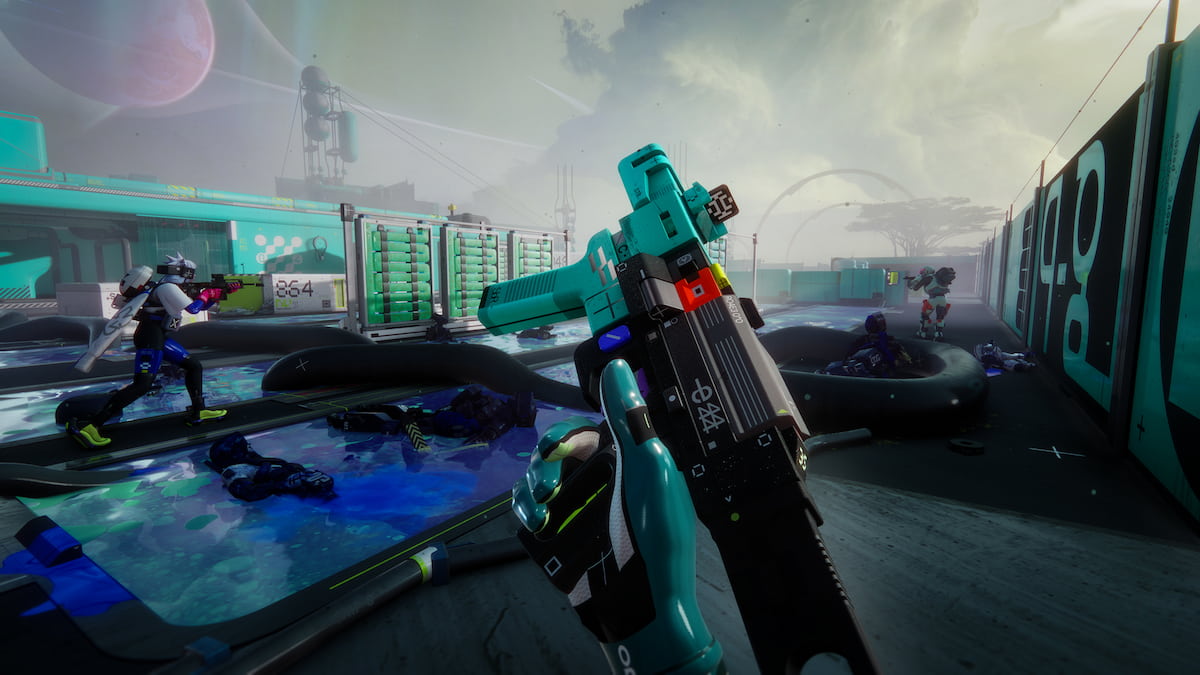
Marathon, at its core, is a competitive PvP extraction shooter, which means you need to use every tool at your disposal to win engagements. This includes graphics settings to make sure nobody is hiding in the bushes, and keyboard settings for you not to waste your utility on accident.

Here are the best PC graphics and keybinds settings in Marathon.

Table of contents

Best PC graphics settings in Marathon

Graphics settings in Marathon
No time to look at the scenery. Screenshot by Dot Esports

These graphics settings are targeted to give you a competitive edge during your runs, with maximum visibility and performance. The game loses a lot of graphical quality with these settings, but that’s what you need to come out on top in every run.

Video

In the Video tab, you must disable VSync to reduce input lag and maximize the Field of View to see as much as possible. You should also increase the brightness to improve visibility in the darker areas of the maps.

The Frame Rate Cap is optional and depends on the stability of your frame rate. If you’re experiencing stutters or occasional drops, set the frame rate cap to your monitor’s refresh rate or lower, depending on severity.

Setting Value
Window Mode Full Screen
Resolution Your display’s native resolution
VSync Off
Frame Rate Cap Enabled Off
Frame Rate Cap N/A
Field of View 105
Brightness 4
Screen Bounds Fitting the screen

Advanced Video

To get the best performance out of Marathon (or in any competitive shooter), most of the settings in the Advanced Video tab are set to Low or Medium. In our testing, there’s no reason to set them to Lowest because it doesn’t improve performance.

The exceptions are Antisotropic Filtering to increase clarity and Character Detail Distance to increase target visibility. Keep those settings high, even if you lower everything else down. At the same time, if you decide to increase the graphical quality, you should keep the Foliage Detail Distance at Lowest to maintain visibility.

Depending on your hardware, you can also experiment with Anti-Aliasing to increase performance. NVIDIA DLSS is the best option if you have an NVIDIA GPU. Otherwise, AMD FSR is a solid alternative. There’s also a Dynamic Resolution Setting that automatically adjusts the resolution to reach your target fps.

Setting Value
Graphics Quality Custom
Anti-Aliasing NVIDIA DLSS
Resolution Scaling Balanced / Performance
Render Resolution N/A
Target Frame Rate N/A
Screen Space Ambient Occlusion Off
Antisotropic Filtering 8x
Texture Quality Low / Medium
Shadow Quality Low / Medium
Environment Detail Distance Low
Character Detail Distance High
Foliage Detail Distance Lowest
Light Shafts Medium
Motion Blur Off

Additional Video

If you have an NVIDIA graphics card, set the NVIDIA Reflex to On or On + Boost, depending on your GPU. This reduces latency, but On + Boost does require additional GPU resources. You might also want to disable Chromatic Aberration for better visibility.

Setting Value
HDR N/A (Optional)
Chromatic Aberration Off
NVIDIA Reflext On or On + Boost
UI Refresh Rate Low

Best PC keybinds settings in Marathon

Marathon keybind settings
Tailor them to your preference. Screenshot by Dot Esports

The control settings in Marathon are personal preference. For Destiny 2 players, many settings are quite familiar, including the keybinds for Runner Shell abilities. However, if there’s a keybind you’re used to from playing other games, feel free to change it.

Here are some of the settings you may consider changing:

  • Look Sensitivity
  • Open Map
  • Quick Melee
  • Trait Ability
  • Tactical Ability
  • Prime Ability
  • Push-to-Talk
  • Proximity Voice Broadcast

Sign up to read this article
Read news from 100’s of titles, curated specifically for you.
Already a member? Sign in here
Related Stories
Top stories on inkl right now
One subscription that gives you access to news from hundreds of sites
Already a member? Sign in here
Our Picks
Fourteen days free
Download the app
One app. One membership.
100+ trusted global sources.