Get all your news in one place.
100's of premium titles.
One app.
Start reading
Tom’s Guide
Tom’s Guide
Technology
John Velasco

Apple says iOS 27 runs much smoother than iOS 26 — we put it to the test

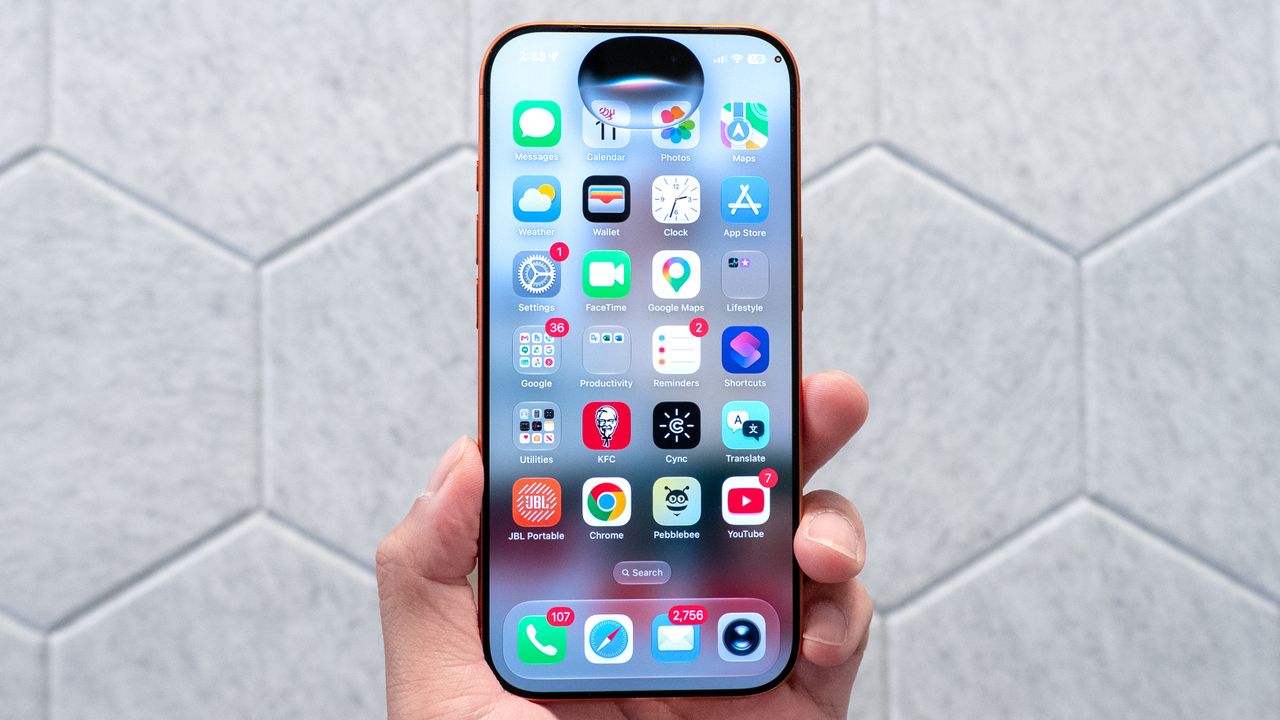
IOS 27 Siri AI running on iPhone 17 Pro.

Companies often brag about speed improvements with new software releases, and Apple is no exception. During its WWDC 2026 keynote, the company unveiled its new iOS 27 software, which is slated to arrive later this year — but Apple took a fair amount of time to highlight the software's responsiveness.

Apple made a bold claim, saying that a major architecture overhaul is designed to optimize system resources and maximize efficiency. The result? iOS 27 is a much more responsive operating system than its predecessor. Apple even explicitly stated that apps launch 30% faster on iOS 27 than on iOS 26, among other claims about the new software.

We wanted to put these claims to the test, so my colleagues and I took two iPhone 17 models — one running iOS 26 and the other running the iOS 27 developer beta — to compare exactly how the software performs across different tasks. Is it really faster? Here’s what we found out.

The test

(Image credit: Tom's Guide / John Velasco)

For this iOS 27 vs. iOS 26 speed comparison, we ran a total of seven tests — performing three passes for each one and recording the average. For all the launch tests, we cleared all apps from memory to ensure a clean slate. Here’s the barrage of tests we conducted:

  • Safari: Time taken to launch the browser.
  • Photos: Time taken to open the Photos app.
  • Camera: Time taken to load the Camera app.
  • Google Maps: Time from initial launch to when the map fully loads.
  • AirDrop (Small File): Transfer time of a 160 MB MP4 file from a MacBook Pro to the iPhone.
  • AirDrop (Large File): Transfer time of a 6.74 GB MP4 file from a MacBook Pro to the iPhone.
  • Hard Drive: Transfer time of a 6.74 GB Tears of Steel 4K file from an external Thunderbolt drive to the iPhone.

The results

iOS 26 Speed (Minutes:Seconds.Miliseconds)

iOS 27 Speed (Minutes:Seconds.Miliseconds)

Difference (Seconds)

% Improvement

Safari

00:00.24

00:00.21

0.03

+12.5%

Photos

0:00.39

00:00.32

0.07

+17.9%

Camera

00:00.24

00:00.23

0.01

+4.2%

Google Maps

00:00.88

00:00.53

0.35

+39.8%

AirDrop Small File (160MB MP4)

0:11.13

00:10.60

0.53

+4.8%

AirDrop Large File (6.74 GB MP4)

5:39.17

5:22.21

16.96

+5.0%

Hard Drive

3:12.82

3:06.04

6.78

+3.5%

After averaging our times for each test, the data reveals a clear picture: there’s definitely a speed improvement across the board. Is it a massive one? Not really. Let’s start by looking at some of the core apps. Safari dropped from 0.24 seconds down to 0.21 seconds (a 12.5% improvement), while opening the Photos app saw an even larger 17.9% speed bump, dropping from 0.39 seconds to 0.32 seconds. The Camera app saw a smaller but welcome optimization, shaving off a fraction of a second to load in 0.23 seconds.

The single biggest speed improvement in our testing came from Google Maps. On iOS 26, launching the app and waiting for the full interface to load took nearly a full second at 0.88 seconds. On iOS 27, that exact same process took a mere 0.53 seconds. That’s a staggering 39.8% reduction in wait time, more than backing up Apple’s claim of apps launching 30% faster.

Another notable comment about iOS 27’s responsiveness came from Stacey Ford, VP of OS Program Management at Apple, who stated during the keynote that users could expect up to 80% faster AirDrop speeds. However, our real-world testing painted a more modest picture. When transferring a small 160MB MP4 video file from a MacBook Pro to the iPhone, iOS 27 shaved the time down from 11.13 seconds to 10.60 seconds. With the larger 6.74GB file over AirDrop, it took 5 minutes and 39 seconds on iOS 26, but dropped to 5 minutes and 22 seconds on iOS 27 — saving you 17 seconds in a pinch.

Finally, there’s the wired transfer test, where we hooked the iPhone 17 up to an external Thunderbolt drive to move that same 6.74GB Tears of Steel video file. Just like everything else, the improvement was there, but minor. The transfer clocked in at 3 minutes and 12 seconds on iOS 26, and dropped to 3 minutes and 6 seconds on iOS 27 — resulting in a minuscule 3.5% speed bump.

The real world difference

(Image credit: John Velasco / Tom's Guide)

Based on our testing, individual results will vary, but one thing is certain: iOS 27 delivers a tangible speed boost. Personally, the most immediate change I noticed when making the jump from iOS 26 to the iOS 27 developer beta was the sheer responsiveness of the interface. My iPhone 17 Pro’s 120Hz Super Retina XDR display already delivers incredibly fluid animations, but it’s impressive to see that they feel even smoother under iOS 27.

Apple’s under-the-hood optimizations deserve plenty of praise, especially since support for the new software stretches all the way back to the iPhone 11. That spans an impressive six generations, which is particularly notable given Apple's confirmation a couple years back that iPhones are guaranteed a minimum of five years of software support.

Of course, this shot of adrenaline to the system's speed and responsiveness is just a small fraction of what makes the upgrade compelling. With a massive wave of new Apple Intelligence features and a completely overhauled Siri AI playing a larger role than ever, iOS 27 proves that Apple’s software isn't just getting faster — it's getting smarter too. If this beta is any indication of the final release, your iPhone is about to feel brand new all over again.

More from Tom's Guide

Sign up to read this article
Read news from 100's of titles, curated specifically for you.
Already a member? Sign in here
Related Stories
Top stories on inkl right now
One subscription that gives you access to news from hundreds of sites
Already a member? Sign in here
Our Picks
Fourteen days free
Download the app
One app. One membership.
100+ trusted global sources.