As an iPhone photographer I enjoy the using the Apple Camera apps’s Macro option to capture close-ups of a wide range of subjects. Regardless of which lens I choose my iPhone will automatically switch to the .5x 13mm Ultra Wide Camera if it detects that my subject is in close proximity to the iPhone. A flower-shaped icon appears, indicating that the iPhone is now shooting in Macro mode on the Ultra Wide lens. This enables me to capture effective macro shots of textures, creatures or products. However on my iPhone 16 Plus the .5x Ultra Wide Camera is only 12 MP whereas the main 1x Camera captures a 24 MP picture. So when shooting in Macro mode I can only capture a smaller 12 MP picture on my iPhone 16 Plus.
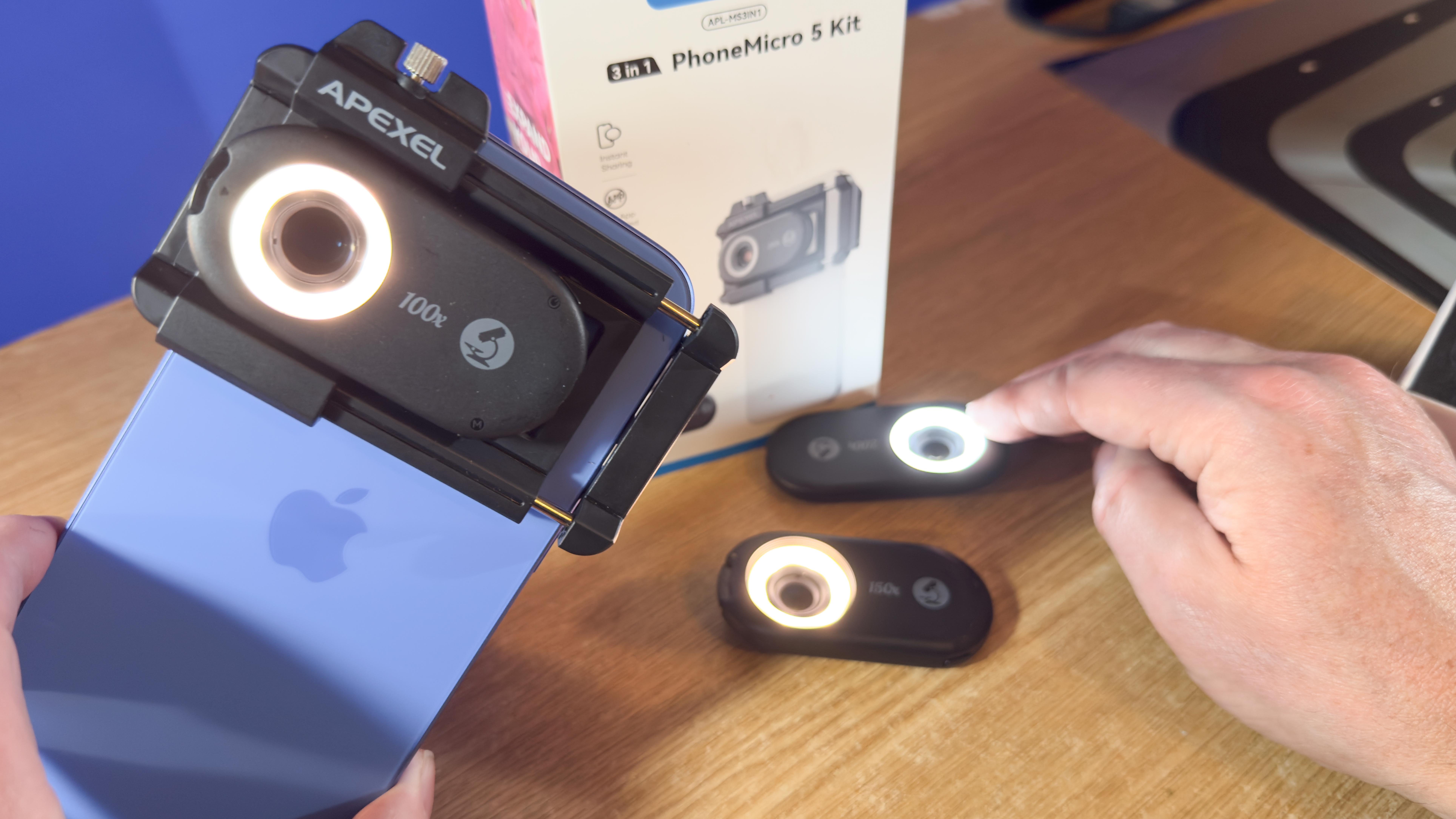
Another challenge that smartphone users face when shooting macro pictures is getting close enough to their subject without casting the device’s shadow on the subject. The Apexel PhoneMicro 5 Kit overcomes the shadow problem by using a tiny LED ring light to illuminate your subject - even if the smartphone’s lens is placed directly against a surface such as a piece of paper or the back of your hand.