Get all your news in one place.
100's of premium titles.
One app.
Start reading
Windows Central
Windows Central
Technology
Mauro Huculak

After years of forgetting Windows shortcuts, I finally found a method that makes them stick — and it’s surprisingly simple

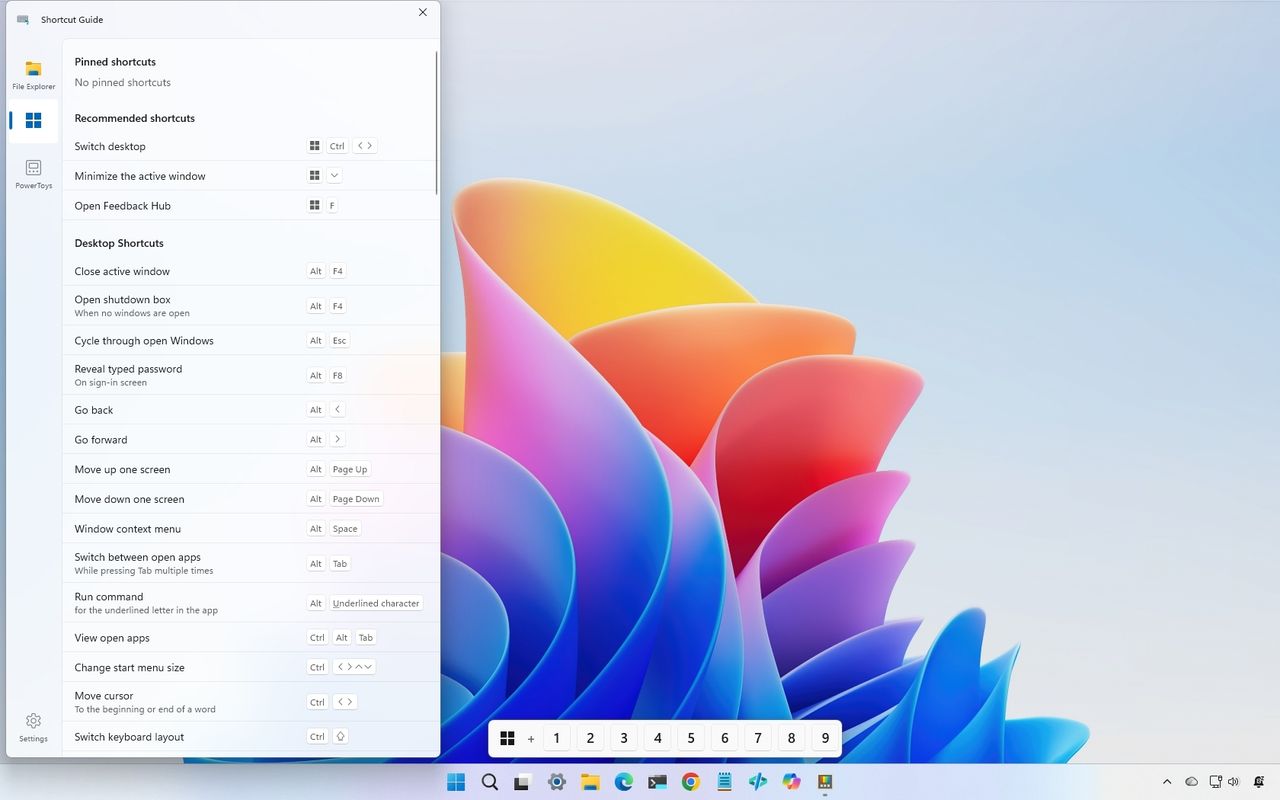
Windows 11 desktop with the Shortcut Guide flyout opened.

On Windows 11, keyboard shortcuts remain one of the fastest ways to navigate the desktop, but most users know only a handful. While commands like "Windows key + E" to open File Explorer or "Ctrl + C" and "Ctrl + V" to copy and paste content can save time every day, many useful shortcuts remain hidden unless users actively search for them.

Microsoft team behind PowerToys is now making shortcut discovery easier with a redesigned Shortcut Guide in version 0.100.

Sign up to read this article
Read news from 100's of titles, curated specifically for you.
Already a member? Sign in here
Related Stories
Top stories on inkl right now
One subscription that gives you access to news from hundreds of sites
Already a member? Sign in here
Our Picks
Fourteen days free
Download the app
One app. One membership.
100+ trusted global sources.