There’s a version of remote working that artists have been promised for years: sit anywhere, plug in your tablet, and work exactly as if your main machine were right in front of you. To a degree, Wacom Bridge, the remote-working tech for its best drawing tablets, has nudged us there, and this month it gets a further boost from a new tech partnership.
So while we’re not quite there yet for seamless cloud art working that feels local, Wacom is still trying to make it happen, this time with a closer integration between Wacom Bridge and Arch Platform Technologies, a service that lets you run high-powered creative PCs in the cloud. The idea is simple: instead of relying on the computer on your desk, you log into a much more powerful machine over the internet, and then use your tablet as normal.

“Wacom Bridge was designed to remove the barriers of distance for creative professionals, ensuring their Wacom experience remains consistent and precise regardless of their physical location,” said Koji Yano, Head of Creative Experience Unit at Wacom, in a statement. “Integrating with Arch’s powerful workstation infrastructure platform creates an even more compelling solution for studios and individual artists looking to maximise efficiency and creative output in a remote-first world.”
Remote issues solved?
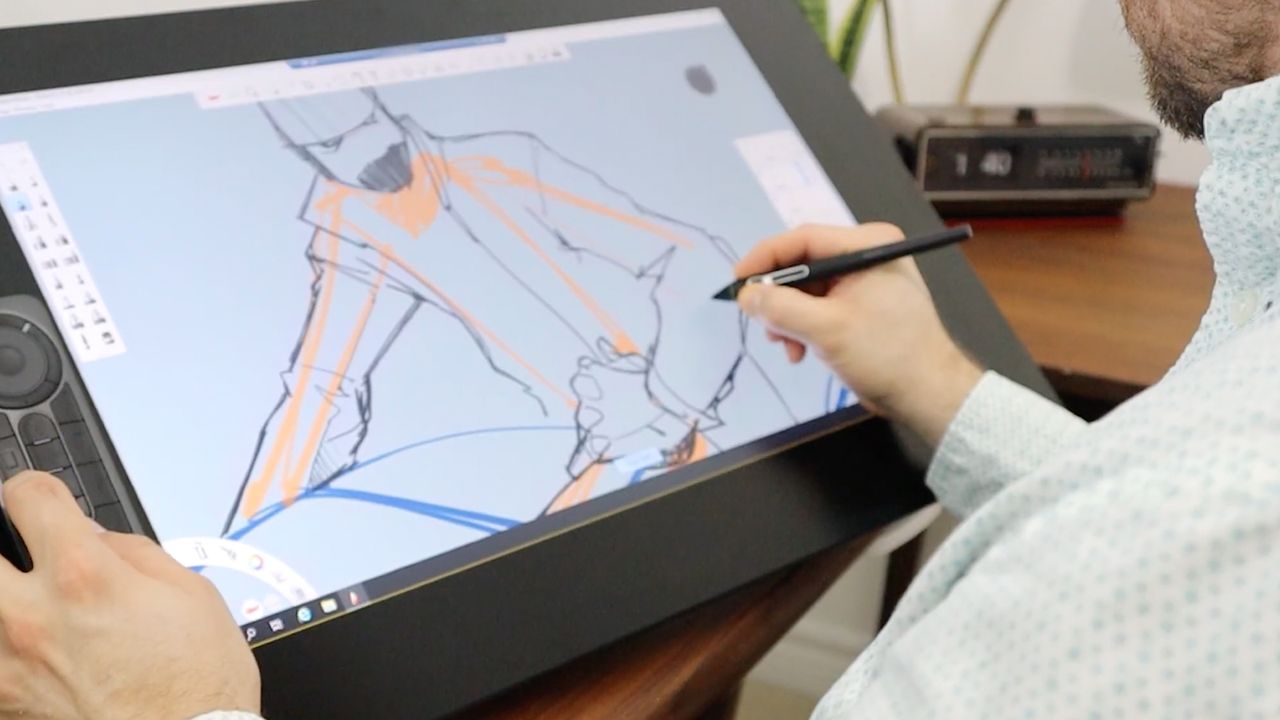
Anyone who’s tried drawing over a remote connection will recognise the issues, including lines lagging behind your pen, pressure sensitivity feeling off, and strokes that lose their natural flow. It can get in the way of drawing, a reminder that there’s a slab of technology sitting between you and creativity.
Wacom Bridge is designed to fix that. Instead of treating your pen like a basic mouse, it sends full pen data – pressure, tilt, settings – directly to the remote machine. Working alongside tools like Amazon DCV, it aims to reduce lag and keep your pen behaviour consistent, even when your actual workstation could be miles away.
It also promises to keep your settings intact, so whether you’re working locally or logging into a remote setup, your shortcuts, pressure curves and preferences stay the same. In theory, that means less time fiddling with setup, and more time actually working. And if Wacom can deliver, that could be genuinely useful, particularly for pro artists and those working on big projects globally.

In my own drawing tablet reviews, such as Wacom rival the recent XPPen Artist Pro 27 (Gen 2), I’ve always focused on one thing above all else: how it feels to draw. The responsiveness of the pen, the sense that the tool disappears, and you’re just making marks, the Wacom Pro Pen 3 excels in this regard. It’s why so many artists stick with Wacom hardware and its drivers, as once that feeling is disrupted, even slightly, it’s hard to ignore.
That’s what makes Wacom Bridge interesting, as it’s not about adding new features to the tablet you own, as such, but instead it’s focusing on preserving that familiar experience while everything else shifts to the cloud. Large studios are increasingly moving work to remote machines for flexibility, security, and access to greater computing power, while freelancers are drawn to the ability to work on a lighter, cheaper device while still tapping into high-end performance when needed.

The catch
But there’s still a catch to using Wacom Bridge, as good as it sounds: no matter how good the software is, how well it works still depends on your internet connection, and if the connection is slow or unstable, that ‘local-like’ feel quickly disappears. Obviously, that’s outside of Wacom’s control.
For Wacom’s part, it does look like Wacom Bridge is a good solution, a step forward towards a more complete way of working, as a lot of us do now. If Wacom Bridge can make remote drawing feel natural, even most of the time, it brings us closer to a future where your studio really can be anywhere. Right now, that's not for everyone. Wacom Bridge is aimed at studios, but eventually, this kind of working will appeal to everyone, from hobbyists and students to pro freelancers.
Visit the Wacom website to learn more about Wacom Bridge.