
Video doorbells have become one of the most effective ways to keep an eye on your front door – but only if they’re installed correctly. Get the placement wrong, and even the most advanced models will struggle with missed footage or poor connections.
As the best video doorbells are often the first line of defense against package theft and unexpected visitors, a poorly positioned camera can limit the security it offers.
So, I spoke with home security experts who revealed the three most common video doorbell placement mistakes they see, why they’re a problem, and what to do instead to get the clearest picture and sound possible.
3 Video Doorbell Placement Mistakes to Avoid
Installing a video doorbell at the wrong height, in a Wi-Fi dead zone, or under harsh lighting can impact its sound, vision, and reliability.
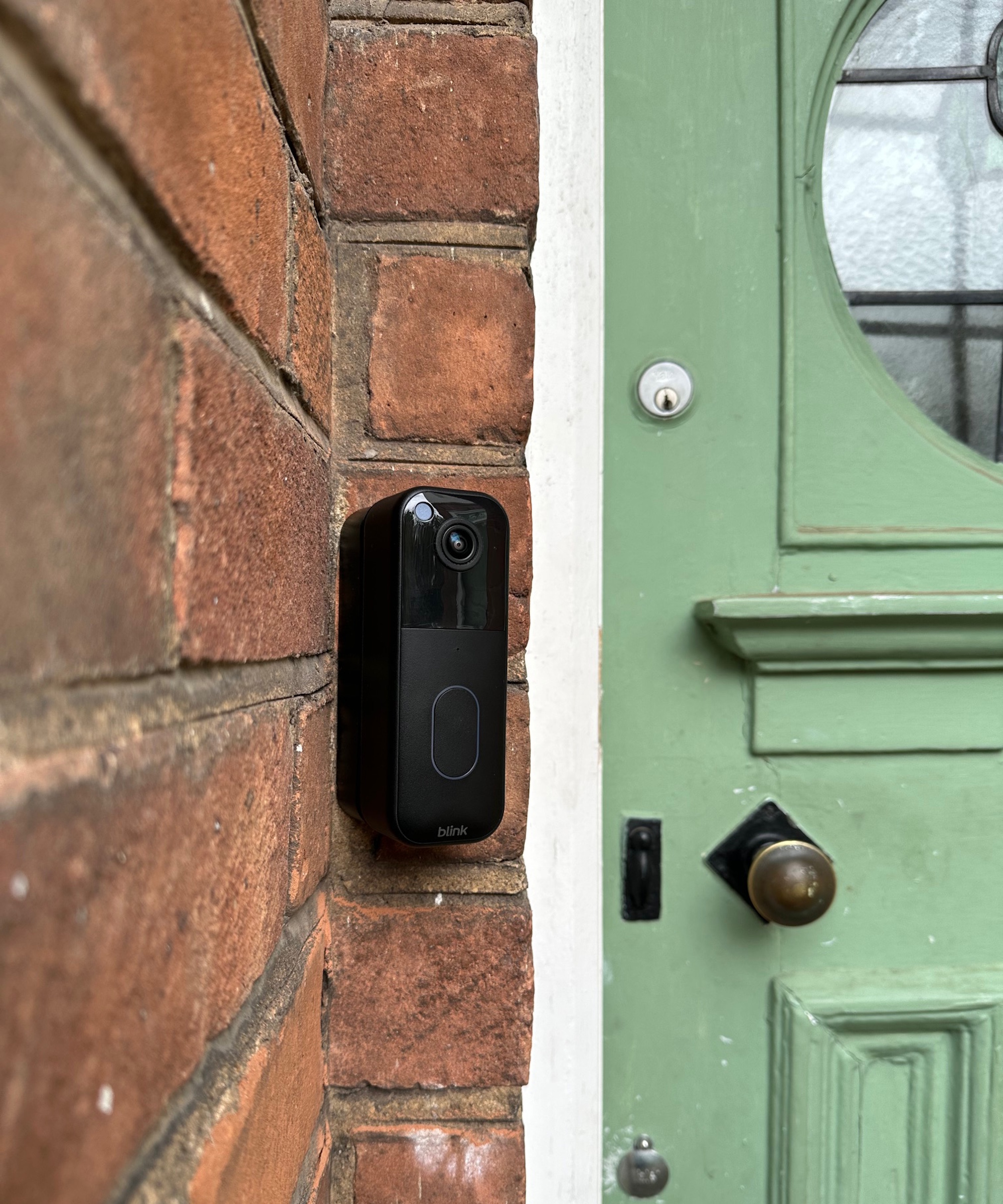
Getting it right ensures you’re making the most of your investment – whether you've been gifted the Blink Video Doorbell for Christmas, or you’re weighing up eufy vs Ring to upgrade your front door security.
1. Installing the Video Doorbell at the Wrong Height
Mounting a video doorbell at the wrong height is the most common mistake professionals encounter, and it has a direct impact on what the camera can actually see.
‘One of the biggest mistakes people make is mounting their video doorbell too high or too low,’ says Hooman Shahidi, chief product officer at SimpliSafe, adding, ‘It feels intuitive to place it above eye level for a “better” view, but you actually lose what matters most – a clear look at someone’s face.’
When installed too high, doorbells tend to capture the tops of heads or shoulders rather than facial detail. Too low, and motion detection can become unreliable, while visitors may move out of frame altogether. Either way, you’re compromising the reason many people invest in a video doorbell to improve their home security.
Mike Halbouni, security camera and telecommunications expert at PoyntGuard, agrees. ‘Mounting too high will cause the camera to miss facial details and produce awkward viewing angles, especially for package areas,’ he explains.
‘Optimal heights range from 40 to 48 inches from the ground,' he advises. Most professionals agree, recommending mounting your video doorbell around four feet from the ground. That height offers the best balance between capturing faces clearly and keeping packages in view.
It’s also worth checking how wide your doorbell’s field of view is and testing angles in the app before final installation. Models we've tested, such as the Ring Battery Doorbell Plus or Arlo 2K Video Doorbel,l have different fields of view, and need to be positioned to align naturally with how people approach your door.
2. Placing Your Video Doorbell Where the Wi-Fi Is Weak
Even perfectly positioned hardware can fall short if it’s installed outside of your reliable Wi-Fi zone. According to the experts, this mistake often isn’t discovered until homeowners start experiencing lag or missed notifications.
‘Another big issue is placing the doorbell where the Wi-Fi signal is weak,’ says Jimmy Lin, vice president of product management at ADT.
‘Wireless video doorbells rely on a strong connection for live streaming, alerts, and video history, so poor connectivity can lead to an unreliable experience overall,’ he continues.
Exterior walls, brickwork, and distance from the router can all impact signal strength at your front door, which can pose an issue when you’re relying on instant alerts to respond quickly to deliveries or prevent porch pirates.
Before installing your doorbell, test your Wi-Fi strength at the front door using your phone (just Google 'Wi-Fi speed test'). If the signal struggles, a Wi-Fi extender like the top-rated TP-Link AC1900 at Amazon can push your coverage outdoors.
Improving your Wi-Fi coverage also future-proofs your setup if you plan to expand with additional cameras later on. Reliable connectivity ensures smoother video playback, faster alerts, and clearer two-way audio – all essentials when your doorbell is part of broader security measures for a house.
Wi-Fi range can also be an issue if you and your mobile phone spend most of the time at home, away from your router. Head of Solved here at Homes & Gardens, Punteha van Terheyden, has tested Ring and Eufy battery-run video doorbells on her front door and has experience with this.
She says, 'My home office is upstairs, and even though I am in a room directly above my front door, my Wi-Fi signal reach here is poor. There is usually between 11-20 seconds of lag on my eufy app despite the instant doorbell alert, and sometimes that means the delivery driver has left by the time I am able to click into the live call and answer, or I miss the call entirely.'
Punteha recommends installing a Wi-Fi booster in poor-reach rooms if that is where you'll be most of the time at home so the lag is not an issue.
If your Wi-Fi signal isn't strong enough by the front door, this simple but highly reviewed Wi-Fi extender can improve your router's reach by up to 2,200 square feet. Top tip: Wi-Fi extenders can slow down your household's internet speed if too many devices are connected to it, so I'd recommend using it only for the video doorbell and outdoor cameras, and to keep all other devices connected to your main router.
3. Positioning the Video Doorbell in Poor Lighting

While most modern video doorbells include night vision, security experts say that poor lighting can still compromise footage.
‘Installing the doorbell directly under a light source often results in glare, blown highlights, and loss of detail,’ explains Sam Griffiths, technical director at Ajax Systems, adding, ‘It leads to overexposure, backlighting, and degraded nighttime video quality.’
Bright porch lights and reflective surfaces can all cause glare, washing out facial features and even potentially confusing motion detection.
At night, harsh lighting can interfere with infrared sensors, reducing the clarity when light is limited. That is, unless you've got the eufy E340 that has a nightlight that turns on automatically when it detects motion.
If you've just bought (or been gifted) your video doorbell and you're concerned that your porchway's lighting might affect its picture quality, it might not be too late to return it and swap it out for the eufy E340. It has a light that turns on automatically for a full-color picture at night, and it's the best subscription-free video doorbell we've tested if you want to avoid paying monthly fees.
Read more in our full eufy E340 review.
Meet the Experts
Next, see what the experts recommend as the best renter-friendly home security options.